

SharePoint or OneDrive? Finding the Right Fit for Team Collaboration

We all know that companies today are no longer limited to a single physical location. Work processes are also no longer strictly isolated. No wonder then that real-time document collaboration and centralized information management have become an unavoidable prerequisite. Well, that is if your organization wants operational success and a competitive advantage. Modern teams, often dispersed across multiple geographies, require sophisticated tools that enable them to co-author documents, share files instantly, etc. Basically, solutions that allow them to maintain a single source of truth for critical business data. In this environment, efficient document handling has a direct impact on project timelines and overall team productivity, among other things. The shift to cloud-based productivity suites, led by platforms such as Microsoft 365, has laid the groundwork for this digital transformation.
In this blog, I will discuss and compare two central facets of the Microsoft 365 file management strategy, namely, SharePoint and OneDrive. Then you can decide if you need custom SharePoint development services or those for OneDrive.
SharePoint: A Quick Download
It is a web-based platform intended primarily for organizational collaboration and document management. Its basic function is to serve as an internal hub, a.k.a. intranet, through which entire organizations or specific teams can securely create and share information.
OneDrive: What Is It?
It is a personal cloud storage and file synchronization service designed specifically for individual users. OneDrive's primary function is to provide a secure and private environment in which individuals can store and access their documents from any device, be it a desktop or mobile app.
SharePoint vs OneDrive: Notable Differences
When it comes to Microsoft’s collaboration tools, SharePoint and OneDrive often get mentioned in the same breath — but they serve distinct purposes. While both support file storage and sharing, their core strengths differ.
Let’s explore the key differences between SharePoint and OneDrive to help you choose the right tool for effective team collaboration.
- File organization: OneDrive is all about individual file ownership and simple folder-based organization. Think of it as your private cloud drive; the files stored here are yours, and they follow the hierarchy of folders you create. In contrast, SharePoint manages organizational content and has a site-centric structure. Files are saved in Document Libraries within a specific team or communication sites. This allows for advanced features such as metadata tagging, content types, etc. Consequently, you can ensure structured data organization for large groups as well as long-term retention.
- Collaboration features: OneDrive comes equipped with essential ad hoc collaboration features, such as real-time document coauthoring and simple file sharing with specific individuals. The collaboration in this offering is centered on individual files. This is not the case with SharePoint. It is a comprehensive platform for structured collaboration across teams. While it does support coauthoring, it also includes advanced features such as custom workflows, robust version control, etc. And did I mention integration with other components, such as Microsoft Teams, which uses a SharePoint library to store all team channel content?
- Security: OneDrive's security model is owner-centric, meaning each user is the default owner of their files. This model is simpler and better suited for personal files. Administrators can still enforce organizational policies. Then there is SharePoint, which gets an advanced permissions model. Access control can be configured at various levels, and role-based access is required for managing sensitive data across large organizations. It also provides high-level governance and compliance features that go beyond the basic security of a personal storage solution.
- Customization: With OneDrive, customizations are minimal. Its interface and functionality are fixed, focused on basic file management and synchronization. Customization is typically limited to folder structures and basic sharing options. Whereas SharePoint is a platform meant to be highly customizable. Users can create a variety of sites and customize their layout and navigation. Furthermore, it enables the creation of complex business solutions such as custom applications and automated workflows using tools such as Power Automate.
Final Words
The decision between custom SharePoint development services or those for OneDrive is a subjective one. Make sure to carefully compare the options against your requirements before making a choice.
Similar Articles

Field sales teams handle numerous responsibilities every day. Sales representatives travel between customer locations, conduct meetings, collect orders, record information, and report their activities to managers.

The app development market has evolved significantly over the past decade or so. Its impact on business has been equally consequential.

Offshore IT hiring means recruiting IT professionals who work from another country or region. Companies commonly use this approach for software development, QA, IT support, DevOps, cybersecurity, data, and project management.

By 2026, moving to the cloud is no longer merely a competitive advantage. It is a business necessity. Every organization across the broad spectrum of industries will be challenged to become more agile.

Real-time dashboard showing multi-level commission tracking and distributor performance metrics

Digital transformation initiatives are no longer unheard of in the corporate world. As a matter of fact, it is also well known that companies expanding their digital footprint tend to run into crippling legacy apps.

The financial aid office has become one of the most operationally strained departments on the modern U.S. campus. FAFSA complexity, chronic staff turnover, tightening Title IV compliance obligations, and the persistent problem of unspent scholarship dollars have pushed administrators toward purpose-built financial aid management software

The demand for software delivery has never been higher. Applications must be delivered faster and on a scale like never before.
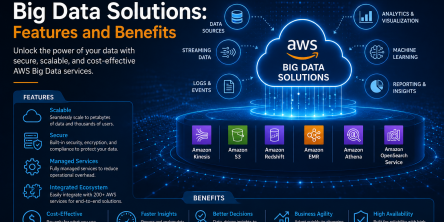
Modern businesses produce large amounts of data daily. Be it from customer transactions, Internet of Things (IoT) sensors, or countless other such sources.