

Online Exams: Best Practices to Ensure Security

Online exams may seem like a modern contraption and, quite frankly, they are indeed quite advanced. But what they are not is brand new — yep, the concept of online exams has been around for nearly as long as the concept of online learning has been around. The only difference is that its popularity has started to grow only recently, largely owing to the present circumstances across the globe. But that is beside the point; what we are trying to say is that as more and more people embrace the concept of digital learning on a much deeper level, the next point of focus is bound to be online exams, because evaluation is also an essential part of the learning process.
But remember that we said that online exams have started to emerge on the scene only recently? Yeah, so that is because of the inherent distrust in the process. See evaluations have been traditionally a process that has been conducted under the direct supervision of an invigilator who can keep an eye on everyone in person and ensure fairness of the process. But how does one do that digitally? It is concerning such as these that have kept the concept from attaining mainstream status. Nonetheless, here are some tips that can deal with these concerns and allow you to put the idea to productive use.
- Secure platform: No matter if you are using a dedicated platform or administering the exam via a web browser-based app, it is critical to make sure that these means are secure. Appropriate tools and solutions can be used to make sure that candidates are not able to open any other windows while attempting the exam. Other actions such as cut, copy, paste, and more are also prevented to ensure the sanctity of the exam.
- Authenticate: It may seem redundant to say this, but the use of basic authentication methods is often ignored despite their potential to prevent cheating. So, don’t make that mistake and ensure that candidates with only valid credentials can log in to the exam portal. And top it up with the addition of a webcam to ensure only the enrolled students are logging in.
- Proctor remotely: Unlike what many people believe, it is indeed possible to proctor from a remote location. For that, make sure that the online exam software you choose comes equipped with functionalities such as image capturing, video streaming, and screen capturing to enable robust invigilation. Each of these functionalities mentioned above works in their way to facilitate proctoring; for example, with image capturing, the system can capture a picture of the candidate via the webcam at frequent intervals to identify the candidate and ensure it is them who are appearing for the exam.
- Audit logging: Audit logging is one of the most potent means to prevent cheating in online exams. Through the ways of this process, one can track all the clicks made by the student during the review. And not only that, but one can also use modern tools to monitor the students’ IP address, log in and logout timings, time is taken to finish the exam, and other such factors.
- Data encryption: The process of ensuring the security of online exams does not end as soon as the exam is over. Since the data and the reviews are stored online, there is always that risk of someone hacking into the database and altering the exam data for their benefit. To ensure that does not happen, the best thing to do is pick a solution that offers data encryption as well.
Online learning is expected to grow by leaps and bounds shortly as an increasing number of stakeholders, i.e., students, teachers, and more, accept the immeasurable value it delivers. And with it, the popularity of online exam software will rise as well. Hence, it is imperative that you get a head start on making them secure for regular use.
Similar Articles

The app development market has evolved significantly over the past decade or so. Its impact on business has been equally consequential.

Offshore IT hiring means recruiting IT professionals who work from another country or region. Companies commonly use this approach for software development, QA, IT support, DevOps, cybersecurity, data, and project management.

By 2026, moving to the cloud is no longer merely a competitive advantage. It is a business necessity. Every organization across the broad spectrum of industries will be challenged to become more agile.

Real-time dashboard showing multi-level commission tracking and distributor performance metrics

Digital transformation initiatives are no longer unheard of in the corporate world. As a matter of fact, it is also well known that companies expanding their digital footprint tend to run into crippling legacy apps.

The financial aid office has become one of the most operationally strained departments on the modern U.S. campus. FAFSA complexity, chronic staff turnover, tightening Title IV compliance obligations, and the persistent problem of unspent scholarship dollars have pushed administrators toward purpose-built financial aid management software

The demand for software delivery has never been higher. Applications must be delivered faster and on a scale like never before.
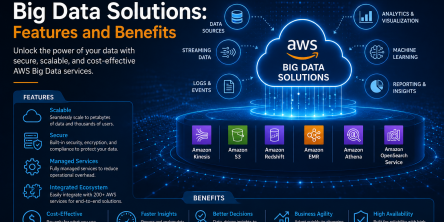
Modern businesses produce large amounts of data daily. Be it from customer transactions, Internet of Things (IoT) sensors, or countless other such sources.
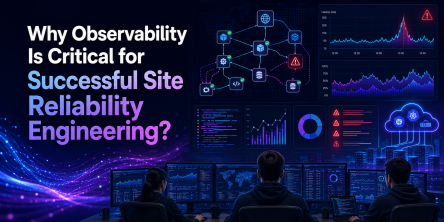
Businesses today need to ship new software faster than ever. That's not news, of course. Anyway, because of the demands on businesses, new solutions are being built on top of micro-services, serverless functions, etc.