

Top 5 Duplicate File Finder Tools for Windows

Duplicate files on your system accumulate due to various reasons and occupies lot of precious storage space for no good reason. Apart of this, it also affects system speed and performance negatively. These files can generate on your system due to various reasons like file downloading, sharing, data backup and copy etc. Finding these files manually can be a cumbersome job thus to deal with the situation certain duplicate file finder tools are available to make your job hassle free. These tools can help you reduce your manual efforts by giving instant results using technology. In this article, we can discuss top 5 duplicate file finder tools for Windows to make your work smooth.
Duplicate Files Fixer: This amazing tool helps you identify duplicates accurately on your system. You can set the scanning criteria for the software to search for duplicate files. You can check the scan history and adjust the settings for more comprehensive results. You can take backup of duplicate files before deleting them. It provides an option to exclude certain files or folders if you are not looking for the whole system scanning. It also helps you find duplicates on your external storage devices when plugged in. To avail amazing and useful feature of this app all you need to do is to install this software first and sort through all type of files to find duplicates. It supports Windows, Mac, and Android platforms.
Auslogics Duplicate File Finder: You can use this tool to locate and remove unnecessary duplicates from your system to free up some precious disk space. This way you can better manage your data on your system. It helps you sort through all your data to find duplicates easily and effectively. This tool gives you full control over your data to find and delete unnecessary files. Using this tool, you can recover a lot of disk space effortlessly.
dupeGuru: This efficient tool is effective to find duplicates in all file types i.e. music, pictures, documents etc. You can find this unnecessary data within minutes using its fuzzy matching algorithm. It scans file names and content to find similar files. You can make changes in its matching engine to find similar or exact looking files. You can change the scanning engine settings using Preference page of this app. It supports all file types and automatically removes all empty folders during file deletion. Its reference directory system and grouping system can help you prevent deleting files accidentally.
Easy Duplicate finder: Using this tool you can recover GBs of precious disk space on your system to make it faster and smoother. This tool allows you to organize your data in a better way. It helps you find similar photos, music files, MP3s, videos, documents, emails and lot more. Just drag and drop the files or folders into the program window to start scanning process. It offers Undo button to recover accidentally deleted files. This tool is fast, easy and fun to use.
SearchMyFiles: You can use this tool to find similar files instantly and accurately. It offers some heavy filtering tools and robust comparison options to find and delete duplicate files easily. Using this tool, you can narrow your search by date and time, file size, specific file extension etc. It supports all file types and uses smart tactics to find duplicate files on your system. You can use this effective tool to free up some important disk space.
You can use these amazing tools to find and delete duplicate files effortlessly. In fact, these tools can help you save your time and efforts. These tools are strongly recommended to help you improve your system performance.
Similar Articles

Offshore IT hiring means recruiting IT professionals who work from another country or region. Companies commonly use this approach for software development, QA, IT support, DevOps, cybersecurity, data, and project management.

By 2026, moving to the cloud is no longer merely a competitive advantage. It is a business necessity. Every organization across the broad spectrum of industries will be challenged to become more agile.

Real-time dashboard showing multi-level commission tracking and distributor performance metrics

Digital transformation initiatives are no longer unheard of in the corporate world. As a matter of fact, it is also well known that companies expanding their digital footprint tend to run into crippling legacy apps.

The financial aid office has become one of the most operationally strained departments on the modern U.S. campus. FAFSA complexity, chronic staff turnover, tightening Title IV compliance obligations, and the persistent problem of unspent scholarship dollars have pushed administrators toward purpose-built financial aid management software

The demand for software delivery has never been higher. Applications must be delivered faster and on a scale like never before.
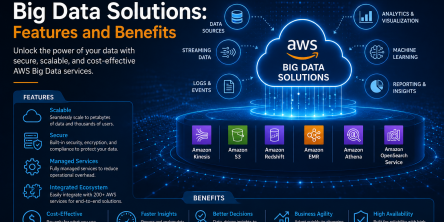
Modern businesses produce large amounts of data daily. Be it from customer transactions, Internet of Things (IoT) sensors, or countless other such sources.

Businesses today need to ship new software faster than ever. That's not news, of course. Anyway, because of the demands on businesses, new solutions are being built on top of micro-services, serverless functions, etc.

Cybersecurity has become an essential concern for groups, companies, and as well as people. As cyber threats enhance, security systems also become more sophisticated.