

9 Tech-Savvy Tips for Safe Web Surfing

Bill Gates, co-founder of Microsoft, was once quoted as saying that “the Internet is becoming the town square for the global village of tomorrow.” But if you were attending an event in your local town square would you leave your valuables unattended or your vehicle unlocked? You probably would not, and the same rules of security apply for your computer as well.
The Threat of Malicious URLs
Computer security is serious business, whether your computer is something you use for working at a large office or it is just your own personal laptop or family’s desktop computer. Hackers often target those who are just browsing online, and according to the Kaspersky Bulletin Statistics for 2011, programs involving malicious URLs, or web addresses, accounted for more than 700 million attacks on computers.
The worst part about malicious URLs is that sometimes the website owner is not even aware that their website is infected! That’s because the hackers hide the offending text right on the site, and if the website owner isn’t aware of how to fix it, then the problem could add up to an expensive repair.
Keeping Safe on the Big, Wide, World Wide Web

Just because viruses exist does not mean that you or your computer have to become victims. However, it can be difficult to know which site is safe to visit and which might risk infecting your computer. Here are some tips for staying virus-free regardless of how much time you spend online surfing the web.
1. Use credible antivirus software. Going cheap on your antivirus program now can cost you a fortune should your computer become infected. That doesn’t mean you can’t find deals. Some sites offer discounts such as Norton coupon codes to help you stay under budget while protecting your computer.
2. Update your software frequently. If your software alerts you that an update is available, take advantage of it. That usually means there is new information to keep you safe from the ever growing number of viruses that are always being released online. Not updating your software is like saying you don’t care about your computer being infected.
3. Only purchase legitimate software. Leave the pirating to those prone to saying “Yo-ho-ho” and whatnot. While it might be tempting to save a few dollars and download pirated versions of your favorite software programs, movies, and MP3s, this is not only putting your computer at risk but it is also illegal.
4. Update your web browser. Using an outdated web browser is a bad idea all the way around. As with antivirus software programs, web browsers are constantly developing new ways to improve security. As an added bonus, updates often help you browse the web faster and offer an improved interface.
5. Don’t open every email. If you get an email from a source you don’t know and trust, delete it – especially if there are files attached. Opening executable files can start a new process within the computer that can wreck your entire system. Once the process starts, you will often be helpless to stop it.
6. Frequently clean your cache and cookies. This not only helps protect your privacy while you are surfing the web, but it also clears up space on your computer. Having less in your cache and fewer cookies help your browser run more efficiently as well.
7. Use a customized password for your router. Leaving your WiFi connection open for others to use is like inviting hackers to take control of your network and infect every device connected to the internet through it. But using a password means that the only people who use your network are those who you have allowed access to. Avoid using the default password of the router because it's very easy to hack. Create your own and change it regularly.
8. Shop Smart to Stay Safe Online: When shopping online, whether you are shopping for gifts from an e-commerce site or shopping for computer security and antivirus programs, only shop from merchants that you know and trust. This eliminates the risk that someone will steal your credit card or, even worse, steal your identity.
9. Never save sensitive information, such as your credit card information, social security number, or financial information on your computer. If your computer is stolen or infected with a virus, some hackers could have access to the information. The same goes for pictures or files. If you are not comfortable storing pictures and files in a cloud storage service, consider using some kind of an external hard drive.
Similar Articles

The app development market has evolved significantly over the past decade or so. Its impact on business has been equally consequential.

Offshore IT hiring means recruiting IT professionals who work from another country or region. Companies commonly use this approach for software development, QA, IT support, DevOps, cybersecurity, data, and project management.

By 2026, moving to the cloud is no longer merely a competitive advantage. It is a business necessity. Every organization across the broad spectrum of industries will be challenged to become more agile.

Real-time dashboard showing multi-level commission tracking and distributor performance metrics

Digital transformation initiatives are no longer unheard of in the corporate world. As a matter of fact, it is also well known that companies expanding their digital footprint tend to run into crippling legacy apps.

The financial aid office has become one of the most operationally strained departments on the modern U.S. campus. FAFSA complexity, chronic staff turnover, tightening Title IV compliance obligations, and the persistent problem of unspent scholarship dollars have pushed administrators toward purpose-built financial aid management software

The demand for software delivery has never been higher. Applications must be delivered faster and on a scale like never before.
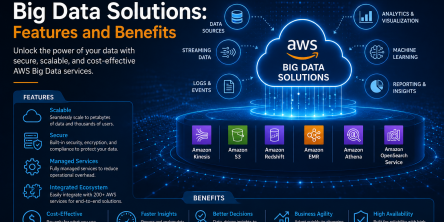
Modern businesses produce large amounts of data daily. Be it from customer transactions, Internet of Things (IoT) sensors, or countless other such sources.

Businesses today need to ship new software faster than ever. That's not news, of course. Anyway, because of the demands on businesses, new solutions are being built on top of micro-services, serverless functions, etc.