

Various Site Templates You Can Use for Power Pages

In the ever-evolving landscape of low-code development, Microsoft's Power Platform stands out as a powerful tool for building custom applications. In today's dynamic digital landscape, creating and managing web pages is no longer the exclusive realm of professional web developers. Introducing Microsoft Power Pages, a feature within the Microsoft Power Platform, has made web development more accessible to a broader audience. Power Pages offers an array of site templates that cater to different needs and use cases.
Now, if you are planning to build a website using Power Pages, we must walk you through the many templates this nifty Microsoft tool brings to the table. You see, Power Pages comes loaded with an abundance of templates aimed at helping users quickly get started with designing their websites. These templates are pre-built and get several standard website elements and layouts. These templates can then be easily adapted to the given business' unique requirements and expectations to fulfill their specific needs.
In this blog, I will explore the diverse site templates offered by Power Pages and how they can empower users to build impressive web pages without extensive coding skills.
Introduction to Power Pages
A relatively new addition to Microsoft's arsenal, Power Pages is a low-code/no-code platform the tech behemoth offers to help companies create and host responsive and safe websites. Just so you know, Power Pages is part of the Microsoft Power Platform suite offerings, which also includes Power Apps, Power Automate, and Power BI. The point is that Power Pages is a beautiful tool that makes it easy for even folks with no technical expertise to create a website with absolute ease. How? It comes loaded with many in-built components and templates that can be swiftly and easily customized to meet your business's unique needs. So, folks, fasten your seat belts and read about Power Pages Examples with some of the primary and most essential templates you can access and use in Power Pages.
Site Templates in Power Pages
- Project Site Template: Manage projects easily for project management with a structured layout and sections for project details, tasks, timelines, and collaboration tools. Whether you're managing a team project or an individual task list, this template simplifies the process and enhances productivity.
- Events Site Template: If promoting and organizing event planning is your preference, this template is your go-to choice as it offers a user-friendly platform to showcase event details, schedule, location, and registration information. It's an excellent tool for event organizers, helping them create professionalism.
- Blank templates: As the name suggests, blank templates offer users a blank canvas for creating a customized website using Power Pages. What do we mean by blank templates if it is a blank canvas? That means the blank template includes just the most essential elements for the website, i.e., header, footer, and navigation menu. The idea behind this template is to give users complete control over the design and layout of the website.
- Learning Site Template: Helps foster learning and training tailored to educational institutions and businesses that want to provide e-learning or training resources. Its course catalog, lesson structure, and user engagement features simplify the process of creating an engaging online learning experience.
- Dynamic 365 site templates: This set of templates' name also offers a hint about its use case: the Dynamic 365 site templates are meant to help create websites that can be integrated with Dynamics 365 apps, including Customer Service, Field Service, and Sales. The idea is that these templates help users develop websites that are already tightly integrated with their companies' Dynamics 365 workflows and data.
- Scenario-based templates: They are targeted at specific business scenarios, such as a customer portal, an employee portal, a partner portal, etc. These templates, then, get pre-built pages and components relevant to the selected scenario.
Final Words
There you have it, folks — some of the leading Power Pages examples of templates you can use. Remember that choosing the best Power Pages template for your business will depend on your needs and goals.
Similar Articles

Field sales teams handle numerous responsibilities every day. Sales representatives travel between customer locations, conduct meetings, collect orders, record information, and report their activities to managers.

The app development market has evolved significantly over the past decade or so. Its impact on business has been equally consequential.

Offshore IT hiring means recruiting IT professionals who work from another country or region. Companies commonly use this approach for software development, QA, IT support, DevOps, cybersecurity, data, and project management.

By 2026, moving to the cloud is no longer merely a competitive advantage. It is a business necessity. Every organization across the broad spectrum of industries will be challenged to become more agile.

Real-time dashboard showing multi-level commission tracking and distributor performance metrics

Digital transformation initiatives are no longer unheard of in the corporate world. As a matter of fact, it is also well known that companies expanding their digital footprint tend to run into crippling legacy apps.

The financial aid office has become one of the most operationally strained departments on the modern U.S. campus. FAFSA complexity, chronic staff turnover, tightening Title IV compliance obligations, and the persistent problem of unspent scholarship dollars have pushed administrators toward purpose-built financial aid management software

The demand for software delivery has never been higher. Applications must be delivered faster and on a scale like never before.
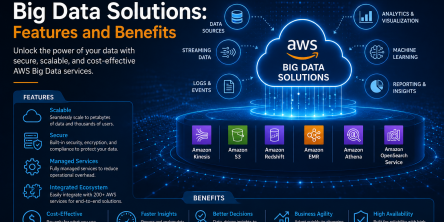
Modern businesses produce large amounts of data daily. Be it from customer transactions, Internet of Things (IoT) sensors, or countless other such sources.