

4 Best iPhone System Repair Software in 2026: Which Tool Is Worth Trying?
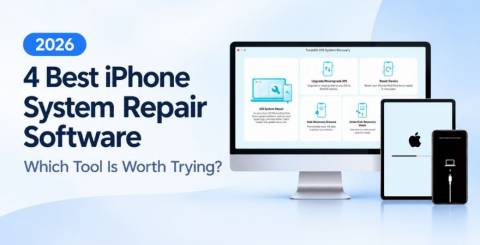
iPhones are generally reliable, but iOS problems can still occur. Your device may freeze during an update, enter Recovery Mode unexpectedly, get stuck on the Apple logo, or fail to start properly. When basic troubleshooting does not work, iPhone system repair software may help restore normal operation.
In this guide, we compare four iOS system repair tools based on their features, ease of use, and potential limitations to help you choose the right option.
What to Look for in iPhone System Repair Software
Before choosing a repair tool, consider these factors:
● Repair capabilities: Check whether it supports problems such as boot loops, black screens, update failures, and Recovery Mode issues.
● Data protection: Standard repair modes may preserve data, but advanced repairs can erase it. Read the instructions carefully.
● Compatibility: Make sure the software supports your iPhone model, iOS version, and computer operating system.
● Ease of use: A clear interface and guided instructions make troubleshooting easier.
● Pricing: Check which features are free and which require a paid license.
4 Best iOS System Repair Software
Top 1. TunesKit iOS System Recovery
TunesKit iOS System Recovery is a desktop tool designed to troubleshoot various iPhone and iPad system problems. It is worth considering if your device is stuck on the Apple logo, keeps restarting, freezes, or encounters iOS update errors.
What Makes TunesKit Stand Out
TunesKit offers Standard Repair and Deep Repair modes for different troubleshooting needs. Standard Repair is designed to fix supported iOS issues without erasing existing data, while Deep Repair can address more serious system problems but may erase device data.
Other notable features include:
● Supports various iPhone and iPad system issues.
● Provides guided repair instructions for users without technical experience.
● Offers additional free functions, including entering or exiting Recovery Mode.
● Available for both Windows and Mac computers.
How to Fix iOS System Problems Without Data Loss
Step 1. Connect Your iPhone and Select Standard Repair
Download and install TunesKit iOS System Recovery on your Windows PC or Mac. Launch the program and connect your iPhone using a USB cable. Once the software detects your device, select iOS System Repair and click Start. Choose Standard Repair to proceed with the repair process intended to preserve your data.
Step 2. Download the Matching Firmware Package
The software will prompt you to check your iPhone's information, including its model and iOS version. Make sure the details are correct, then download the recommended firmware package. This package contains the system files needed for the repair. Keep your computer connected to the internet and do not disconnect your iPhone while the firmware is downloading.
Step 3. Start the Repair Process
After the firmware download is complete, click the Start Standard Repair button to begin. Keep your iPhone connected and wait for the process to finish. Your device should restart automatically when the repair is completed. Check whether the original problem has been resolved and confirm that your important files are still accessible. If Standard Repair cannot resolve the issue, consider Deep Repair only after reviewing its data-loss risks.
Top 2. Dr.Fone – System Repair (iOS)
Dr.Fone – System Repair (iOS), developed by Wondershare, is a system troubleshooting tool for iPhones and iPads. It provides repair options for certain iOS errors, startup problems, and devices that become unresponsive.
Pros:
● Offers multiple repair options for different system problems.
● Includes a broader device-management ecosystem through other Dr.Fone modules.
● Provides guided instructions for common repair tasks.
Cons:
● Some functions require separate purchases or paid plans.
● The range of available tools may be unnecessary for users who only need basic system repair.
Dr.Fone is worth considering if you want iOS repair alongside other mobile-device utilities.
Top 3. Tenorshare ReiBoot
Tenorshare ReiBoot is an iOS repair utility particularly known for its Recovery Mode features. It can help users enter or exit Recovery Mode and troubleshoot certain iPhone startup or system problems.
Pros:
● Offers convenient one-click Recovery Mode access.
● Provides repair options for various iOS issues.
● Has a relatively simple interface for common troubleshooting tasks.
Cons:
● Advanced repair features may require payment.
● More serious repairs can involve data loss, depending on the method used.
ReiBoot is a suitable option for users who frequently encounter Recovery Mode issues or need a straightforward way to access this troubleshooting environment.
Top 4. iToolab FixGo
iToolab FixGo is designed to help resolve selected iOS system problems, including devices stuck on the Apple logo, frozen screens, and Recovery Mode issues.
Pros:
● Focuses on common iPhone system failures.
● Offers a guided repair process for less experienced users.
● Provides options for different levels of system troubleshooting.
Cons:
● The free version has feature limitations.
● Its repair capabilities depend on the device, iOS version, and specific problem.
FixGo may suit users looking for a dedicated repair utility without needing a large collection of additional device-management tools.
FAQs
1. Can iPhone system repair software fix iOS issues without data loss
Some tools provide a standard repair mode designed to preserve data. However, results depend on the problem and repair method. Back up your device whenever possible before starting.
2. Is there any free iPhone system repair software?
Some programs offer free downloads or limited functions, such as entering and exiting Recovery Mode. Firmware-based system repairs and advanced features often require payment.
3. Is third-party iPhone repair software safe?
Most reputable iPhone repair tools are safe when downloaded from their official websites. Before using one, check its supported devices, review its repair options.
Final Verdict: Which iOS System Repair Software Is Worth Trying?
The best iPhone system repair software depends on your needs. Dr.Fone offers a wider mobile-device utility ecosystem, Tenorshare ReiBoot is a convenient option for Recovery Mode tasks, and iToolab FixGo focuses on common iOS system failures.
TunesKit iOS System Recovery is a strong option for users seeking a dedicated iPhone and iPad repair tool. Its Standard and Deep Repair modes address different levels of system trouble, while its guided workflow makes the process easier to follow. If you are dealing with an iPhone that freezes, gets stuck during startup, or encounters update errors, it is worth considering as one of your repair options.
Similar Articles

Choosing the right electronic health record (EHR) system is an important decision for any medical practice. The right platform can simplify patient documentation, appointment scheduling, insurance claims, billing, and daily administrative tasks.

Running a restaurant involves much more than taking orders and serving food.

Field sales teams handle numerous responsibilities every day. Sales representatives travel between customer locations, conduct meetings, collect orders, record information, and report their activities to managers.

The app development market has evolved significantly over the past decade or so. Its impact on business has been equally consequential.

Offshore IT hiring means recruiting IT professionals who work from another country or region. Companies commonly use this approach for software development, QA, IT support, DevOps, cybersecurity, data, and project management.

By 2026, moving to the cloud is no longer merely a competitive advantage. It is a business necessity. Every organization across the broad spectrum of industries will be challenged to become more agile.

Real-time dashboard showing multi-level commission tracking and distributor performance metrics

Digital transformation initiatives are no longer unheard of in the corporate world. As a matter of fact, it is also well known that companies expanding their digital footprint tend to run into crippling legacy apps.

The financial aid office has become one of the most operationally strained departments on the modern U.S. campus. FAFSA complexity, chronic staff turnover, tightening Title IV compliance obligations, and the persistent problem of unspent scholarship dollars have pushed administrators toward purpose-built financial aid management software