

Advantages of Cleaning Up Disk Space
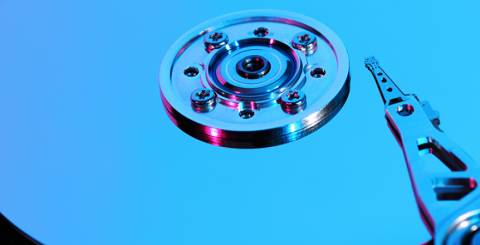
When you bring your brand new system it works efficiently and smooth. Due to prolonged use, it starts creating issues like a slow startup, slow speed & performance, and other issues. This slow speed and performance of the system occur primarily due to over occupied disk space. Your system disk space gets over occupied due to various reasons like too many apps and programs, junk files & folders, duplicate files, and a lot of other unnecessary files. This unnecessary data on your disk make it run slow and sometimes crawling when you face problems to perform even simple tasks like switching windows.
To deal with this situation, disk cleanup activities should be performed to clean up disk space. You can do disk cleanup manually by searching all unnecessary files and programs on your system and deleting them. Alternatively, you can use disk cleanup utility which comes with the Windows operating system to clean up your disk space. You can also use disk cleanup apps for better results. There are immense benefits of cleaning up of disk space. Let’s discuss few advantages of cleaning up disk space here.
Organized data: When you perform disk cleanup activities or apply disk cleanup tool to clean your disk space it helps you organize your disk data in a better and instant way. It helps you remove a lot of temporary files, cache files, files from recycle bin and lot of other unnecessary files. It also helps you remove duplicate and similar files this way your data becomes more organized and streamlined.
Improved Speed and performance: Organized data on your device disk space helps you improve your device’ speed and performance significantly. When you perform disk cleanup it helps you remove many unwanted and unnecessary file types like temporary files saved by system or browser, cache files, old system restore points, the content of recycle bin, log files and lot more. When your system disk remains decluttered and organized it works more efficiently as it performs actions more quickly whether you want to search something or restore data. Your duplicate free disk space also helps system to search files more instantly.
Saves time: Your organized disk space helps you improve system speed and performance significantly. When your system performs better it helps you save your time as well. You can perform disk clean activities manually or you can try certain disk clean up tools to clean your disk space instantly. The clean system helps you perform tasks easily and efficiently to save your lot of time. You can further use disk space analyzer tools to analyze memory occupied by your disk space to manage it efficiently.
File Compression: Your disk cleanup utility has the ability to compress those files which you have not used for a while. When your unnecessary files get compressed it helps you recover precious disk space instantly. However, compressed files take little longer to open on your system as it needs to decompress themselves first before opening. This is an optional feature which can be availed as required. If you have sufficient disk space, you can skip this step.
Recover hard drive space: This is the most prominent advantage of using disk cleanup utility on your system to clean disk space. It helps you recover chunks of data storage capacity on your system effortlessly. It removes lots of unnecessary files from your system disk space in the form of temporary files, log files, cache files, memory dump files, and many other files. This way you can store more important data on your system disk space.
Disk cleanup activities are effective enough to improve slow startup of Windows 7, 8 ,10 or any other version. You can use disk cleanup tools to perform disk cleaning activities effortlessly to save your time and efforts.
Similar Articles
Choosing the right electronic health record (EHR) system is an important decision for any medical practice. The right platform can simplify patient documentation, appointment scheduling, insurance claims, billing, and daily administrative tasks.

Running a restaurant involves much more than taking orders and serving food.

Field sales teams handle numerous responsibilities every day. Sales representatives travel between customer locations, conduct meetings, collect orders, record information, and report their activities to managers.

The app development market has evolved significantly over the past decade or so. Its impact on business has been equally consequential.

Offshore IT hiring means recruiting IT professionals who work from another country or region. Companies commonly use this approach for software development, QA, IT support, DevOps, cybersecurity, data, and project management.

By 2026, moving to the cloud is no longer merely a competitive advantage. It is a business necessity. Every organization across the broad spectrum of industries will be challenged to become more agile.

Real-time dashboard showing multi-level commission tracking and distributor performance metrics

Digital transformation initiatives are no longer unheard of in the corporate world. As a matter of fact, it is also well known that companies expanding their digital footprint tend to run into crippling legacy apps.

The financial aid office has become one of the most operationally strained departments on the modern U.S. campus. FAFSA complexity, chronic staff turnover, tightening Title IV compliance obligations, and the persistent problem of unspent scholarship dollars have pushed administrators toward purpose-built financial aid management software