

Best Remote Access Tools for System Administrators
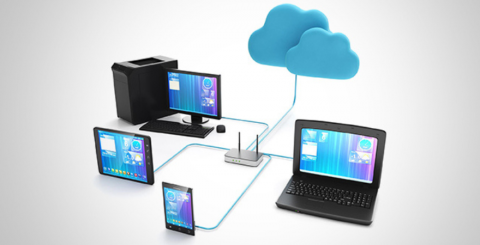
System administrators carry the broadest technical scope of any IT role. On any given day, a sysadmin might be provisioning servers, troubleshooting a failing service, patching endpoints across three sites, and responding to a security alert all while supporting end users who cannot work. Remote access is not a convenience for sysadmins; it is the operational backbone that makes everything else possible. The tools that serve a sysadmin well are not necessarily the same tools that serve a general business user, and the criteria for evaluation reflect that difference.
This list covers the remote access platforms best suited to system administrator workflows, starting with the one that delivers the strongest overall fit.
Splashtop Enterprise
Splashtop earns the top position for system administrators who need enterprise-grade capabilities without the deployment complexity or vendor lock-in that often comes with larger platforms. For sysadmins specifically, the platform delivers where it counts: Active Directory and LDAP integration for identity-driven access provisioning, SAML-based single sign-on, granular role-based permissions at the device and user group level, and a centralized admin console that provides full estate visibility across all managed endpoints.
Session capabilities are equally strong. The best remote access tool for admins includes multi-monitor support, Wake-on-LAN for reaching offline machines, remote reboot into both normal and safe mode, file transfer, command line access, session recording, and SIEM log forwarding a feature set that covers both day-to-day support tasks and after-hours server maintenance with equal competence.
Splashtop is compliant with SOC 2 Type II, ISO 27001, HIPAA, and GDPR, and an on-premises gateway option is available for environments with strict data residency or air-gap requirements. For managed service providers, Splashtop for MSPs adds multi-tenant management and attended support. Pricing is per-user and remains predictable as infrastructure scales.
NinjaOne Remote
NinjaOne Remote is the remote access component embedded within the NinjaOne RMM platform, and for system administrators managing distributed infrastructure, the integration advantage is substantial. From a single console, a sysadmin can monitor endpoint health, manage patches, run automated scripts, receive real-time alerts, and initiate a remote session without ever switching applications.
The platform's automation capabilities are particularly relevant to sysadmins. Scheduled scripting, automated patch deployment, and policy-based endpoint configuration reduce the volume of manual interventions required, which means remote access sessions are often only needed for issues that cannot be resolved through automation alone. That shift in workflow from reactive to proactive is where NinjaOne creates the most value for a sysadmin operating at scale. Session security, audit logging, and role-based access meet enterprise requirements.
ConnectWise ScreenConnect
ConnectWise ScreenConnect has been a fixture in the MSP and IT services market for good reason. Its concurrent session licensing makes it practical for sysadmins and helpdesk teams handling multiple simultaneous incidents, and the platform's on-premises deployment option gives those managing sensitive infrastructure complete control over connection routing and data storage.
For system administrators supporting clients across multiple organizations, the white-label branding and multi-tenant management make ScreenConnect a strong operational fit. Session recording, command-line access, granular permission controls, and detailed audit trails satisfy the compliance and accountability requirements common in regulated environments. Integration with ConnectWise Automate and PSA extends the platform into a broader IT operations stack. Licensing costs have risen over time, which warrants a careful total-cost analysis relative to alternatives before committing.
Dameware Remote Everywhere
Dameware Remote Everywhere, from the SolarWinds portfolio, is designed specifically with IT support and system administration scenarios in mind. It connects quickly to Windows, Mac, and Linux endpoints, and includes a built-in diagnostic toolset that surfaces CPU usage, running processes, event logs, and system performance data in-session useful context that other platforms require a separate monitoring tool to deliver.
For sysadmins managing Windows Server environments, Dameware's ability to access machines before the OS fully loads and to connect via Active Directory credentials without a pre-installed client is a practical differentiator in incident response situations where a machine is partially unresponsive. ITSM integrations with ServiceNow, Zendesk, and Microsoft Teams fit naturally into enterprise helpdesk workflows. The platform is best positioned for internal IT teams managing defined environments rather than MSPs, and SolarWinds' security history is something security-conscious organizations should evaluate as part of vendor due diligence.
The security operations space continues to attract significant investment and innovation. Coverage of developments like enterprise threat detection illustrates how security and access management are converging in enterprise IT, a trend that directly influences how sysadmins evaluate and integrate remote access tooling alongside their broader security stack.
ManageEngine Remote Access Plus
ManageEngine Remote Access Plus is a dedicated remote access and support platform with a specifically sysadmin-oriented feature set. Beyond basic screen control, it provides a remote command prompt, system manager, event viewer, registry editor, process manager, and device manager, all accessible within the session interface without disrupting the end user. For sysadmins who spend significant time performing system-level diagnostics, this depth of in-session tooling reduces the need to context-switch between the remote session and a separate monitoring or management application.
Both cloud-hosted and on-premises deployments are available, Wake-on-LAN allows sysadmins to reach offline devices remotely, and integration with ManageEngine's broader ecosystem, including ServiceDesk Plus and OpManager, creates a cohesive operational environment for organizations already on the ManageEngine stack. Role-based access controls and audit logging meet compliance expectations in regulated industries.
A layered endpoint security posture is an essential complement to strong remote access controls. PCMag's regularly updated coverage of endpoint protection picks helps sysadmins evaluate the endpoint security layer that should sit alongside any remote access deployment, ensuring that the devices being accessed remotely are also properly defended.
Selecting the Right Tool for Sysadmin Work
The remote access platform that fits a system administrator best depends on the operational context. Internal IT teams managing fixed infrastructure benefit most from deep diagnostic tooling, server-class access capabilities, and compliance-ready audit logging. MSPs and multi-client administrators need multi-tenant management, concurrent session efficiency, and predictable per-tenant cost structures. Teams already invested in an RMM platform gain the most value from remote access that integrates natively rather than requiring a parallel tool.
Across all sysadmin contexts, certain requirements hold: MFA enforcement at the session level, access revocation that propagates instantly, full audit trails for every session, and support for server operating systems beyond desktop endpoints. Any platform that cannot satisfy these baseline requirements is not suited for professional system administration use.
Frequently Asked Questions
What remote access features matter most to system administrators compared to general users?
Sysadmins require server OS support, command-line and terminal access, Wake-on-LAN for offline machines, safe mode reboot capability, detailed audit logging, and role-based permissions that can be scoped at the device group level. General users typically only need desktop screen sharing, which is a much narrower feature requirement.
How does multi-tenant management affect remote access tool selection for MSPs?
MSPs managing multiple client environments need remote access platforms that separate client data and permissions cleanly, allow per-client branding, and provide billing-friendly session reporting. Platforms without native multi-tenant support require workarounds that increase administrative overhead and introduce the risk of cross-client access errors.
Is on-premises deployment still relevant for remote access in 2026?
Yes, particularly in regulated industries such as healthcare, finance, and government contracting, where data residency requirements or air-gap mandates prevent cloud routing of session data. Several leading platforms, including Splashtop, NinjaOne, and ManageEngine, offer on-premises or hybrid deployment models to address these requirements.
Similar Articles
Most developers spend several hours every day looking at lines of code. Whether you're building a website, fixing bugs, creating mobile apps, or learning your first programming language, your coding environment plays a big role in your comfort and productivity
Discover the best wrist rest materials for comfort and durability. Compare memory foam, gel, leather, fabric, and silicone to find the right support.
The financial services industry is entering an era where Finance AI Agents are revolutionizing how institutions operate.
The adoption of cloud technology has transformed the way businesses and individuals manage data.
Think back to the time when you had the biggest career choice of whether to take the corner office or the window cubicle? Those days are long gone

Custom CRM design is gaining traction because it’s built around your needs and the way your team works

PHP remains one of the most widely used server-side scripting languages in the world, powering millions of websites and web applications.

Do you tend to overshare on social media? Learn how to protect yourself by limiting what you post online and using dark web monitoring to track leaked data.

Ransomware attacks play a major part in all cybercrime attempts. Companies worldwide lost over 9 trillion USD to cybercriminals this way. How to protect yourself?