

Xamarin.Forms vs Xamarin Native: Which and When Should You Use Them?

Mobile apps are one of the most sought-after tools for any business in the modern world. This is owing to the rapid growth and use of mobile phones and devices in our daily lives — today; people depend on their mobile phones for pretty much everything. So, it only makes sense that businesses, no matter the industry, will be looking to leverage this golden opportunity in front of them. Now, this pursuit leads them to a rather critical question: What platform to use to build these apps? Of course, there are plenty of options to choose from. However, often this search leads folks to Xamarin, thanks to its long-proven ability to enable the development of rock reliable Android and iOS mobile apps.
However, it doesn’t end at just deciding to use Xamarin; one must also choose between Xamarin.Forms and Xamarin.Native as well. Unfortunately, this is where things get tricky. But don’t worry, because that’s precisely what this article seeks to help you with. Let’s start with a quick overview of both of them. Xamarin.Native is a cross-platform toolkit that enables the development of the app with .NET and C#. Xamarin.Forms, on the other hand, is essentially a more developed iteration of Xamarin.Native. However, with this one, you can develop one app for various platforms instead of building an app for every unique platform.
Now, let’s see which one of the two you should pick and when.
1. Budget: This is one of the critical considerations and rightly so—nonetheless — Xamarin.Forms will make the right choice if you are looking for a cost-effective option since it allows you to target multiple platforms with one app, whereas with Xamarin.Native, it would help if you had experts for each of the OS you are aiming at, thus instantly taking your costs up.
2. Development time: Xamarin on its own is an excellent tool for saving time spent on coding since it allows you to work with one C# codebase. But when it comes to Xamarin.Native, the ability to share code is restricted to about 75 percent. It is much higher with Xamarin.Forms allow about 95 percent code sharing, thus making the development cycle significantly faster than that of Xamarin.Native.
3. User experience: If you aim to offer complex animations and an overall intricate UI, our advice would be that you stick with Xamarin.Native. However, with a note that Native will allow you to build platform-specific user experiences. In contrast, with Forms, you can develop a UI that can be shared across platforms. Hence, with the latter, there are some limits to the scope of creativity one can integrate into the UI.
4. Maintenance: Yet another critical point of consideration when it comes to building apps is the effort required to ensure timely updates and maintenance. In general, Xamarin offers a distinct advantage in debugging, care of the codebase, etc—but speaking of Xamarin.Native, the programmers will need to first deal with base code and eventually the platform-specific code. Then there’s Xamarin.Forms, which offers a unified process in this regard, i.e. one can introduce all the requisite updates via just one codebase. If the app you have in mind will need regular updates and maintenance, the right way to go for you would be to work with Xamarin.Forms instead of Xamarin.Native.
Despite our best efforts, we understand that choosing between Xamarin.Forms and Xamarin.Native is not a cakewalk. However, you can always engage the services of a reliable service provider for app development using Xamarin. Their expertise will go a long way in helping you decide the right choice for you, thus ensuring ideal outcomes.
Similar Articles

The app development market has evolved significantly over the past decade or so. Its impact on business has been equally consequential.

Offshore IT hiring means recruiting IT professionals who work from another country or region. Companies commonly use this approach for software development, QA, IT support, DevOps, cybersecurity, data, and project management.

By 2026, moving to the cloud is no longer merely a competitive advantage. It is a business necessity. Every organization across the broad spectrum of industries will be challenged to become more agile.

Real-time dashboard showing multi-level commission tracking and distributor performance metrics

Digital transformation initiatives are no longer unheard of in the corporate world. As a matter of fact, it is also well known that companies expanding their digital footprint tend to run into crippling legacy apps.

The financial aid office has become one of the most operationally strained departments on the modern U.S. campus. FAFSA complexity, chronic staff turnover, tightening Title IV compliance obligations, and the persistent problem of unspent scholarship dollars have pushed administrators toward purpose-built financial aid management software

The demand for software delivery has never been higher. Applications must be delivered faster and on a scale like never before.
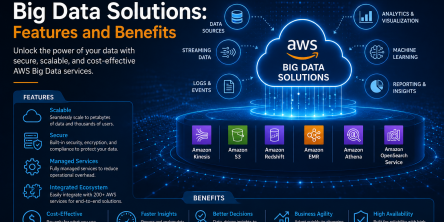
Modern businesses produce large amounts of data daily. Be it from customer transactions, Internet of Things (IoT) sensors, or countless other such sources.

Businesses today need to ship new software faster than ever. That's not news, of course. Anyway, because of the demands on businesses, new solutions are being built on top of micro-services, serverless functions, etc.