

Wireless Label Printer Showdown: How to Match the Right Printer Model to Your Business
Choosing a wireless label printer sounds straightforward until you're looking at four models that all print 4×6 shipping labels, all connect without wires, and all cost meaningfully different amounts. The features that distinguish them aren't always obvious from a spec sheet — and buying the wrong one means either overpaying for capabilities you'll never use, or hitting a frustrating ceiling on a busy shipping day.
This guide breaks down four MUNBYN wireless label printers — the RW403B, RW405B, RW941B, and RW401AP — by the use cases they're actually built for, so you can match the right hardware to how your business works.
First: Why Wireless Matters More Than It Used to
A few years ago, a USB label printer tethered to a desktop computer was the default setup for most e-commerce sellers. It worked, but it anchored your entire packing workflow to one desk, one computer, and one connection point.
The way small businesses actually operate has shifted. Sellers manage orders from phones and tablets. Packing stations move. Team members share printers across a studio or warehouse floor. Shopify, Amazon, and Etsy apps print shipping labels directly from iOS and Android. In that environment, a USB-only printer is a bottleneck by design — and a wireless printer isn't a convenience upgrade; it's a workflow prerequisite.
The question has moved from "should I go wireless?" to "which wireless setup actually fits my situation?"
Read more: 7 Cool Projects Around the World Made by Personal 3D Printer
RW403B: The Workhorse for High-Volume Shipping
The RW403B is built around a single priority: printing shipping labels accurately, at speed, without interruptions. At 203 DPI and one 4×6 label per second, it handles standard shipping label output for UPS, FedEx, USPS, DHL, and major e-commerce platforms, with no driver installation required — direct integration with Shopify, Amazon, Etsy, and carrier portals is built in.
What separates the RW403B from cheaper 203 DPI alternatives is its DAC (Dynamic Algorithm Technology) chip — a 4-inch chip that auto-calibrates label alignment in real time. Label misalignment is one of the most common causes of barcode scan failures and reprints, and DAC eliminates it at the hardware level rather than leaving the operator to adjust it manually. The result is consistent, centered output across a full label roll without babysitting the printer.
At 60 decibels, it's also quiet enough to run in a shared workspace without being a constant background annoyance — a practical consideration for home-based sellers or small studio environments.
The RW403B is the right choice if your primary use is shipping labels at volume and you want reliable output without complexity. Its lifespan is rated at 970,000 labels — roughly six times the industry average for this class of printer — which matters when you're running the machine daily.
RW405B: When You Need More Than Black and White
The RW405B starts from the same foundation as the RW403B — the same DAC chip, the same 203 DPI resolution, the same print speed — and adds two capabilities that open up a meaningfully different range of use cases.
The first is dual-color printing. The RW405B supports red-black and blue-black label printing, which is unusual at this price point and form factor. For sellers who use color-coded labels for priority orders, warehouse routing, or product categorization, or for brands that want a color element on custom product labels without switching to inkjet, dual-color thermal output is a practical differentiator.
The second is a replaceable printhead. Most thermal label printers treat the printhead as a fixed component — when it wears out, you replace the printer. The RW405B's printhead is a user-swappable module rated at 970,000 labels per head, meaning the machine's total lifespan extends as long as you replace the head rather than the unit. For businesses calculating the total cost of ownership over multiple years, this changes the math significantly.
The RW405B also integrates with MUNBYN's companion app, which provides access to over 3,500 design elements, 2,000+ templates, and 80+ fonts for creating custom labels directly from a smartphone — useful for product labels, branding stickers, and packaging inserts beyond the standard shipping label format.
RW941B: The Step Up for Product Labels and Brand Presentation
Where the RW403B and RW405B are optimized for shipping workflows, the RW941B shifts the focus toward output quality for product-facing labels. Its 300 DPI resolution is the meaningful distinction: at 300 DPI, fine-detail logos, small text, and intricate graphics render with noticeably sharper definition than the 203 DPI standard.
For sellers whose labels are part of the customer experience — cosmetics brands, food producers, handmade goods sellers, subscription box operators — print quality on a product label communicates brand standards in a way that shipping label quality simply doesn't. A barcode on a shipping label just needs to be scanned. A logo on a product label needs to look like it belongs on a premium product.
The RW941B connects via Bluetooth and USB, supports the full range of iOS, Android, Windows, macOS, and ChromeOS devices, and handles label widths from 1.57 to 4.3 inches — covering both product labels and shipping labels from the same machine. For businesses that need one printer to handle both use cases without sacrificing quality on either, the 300 DPI output of the RW941B is worth the step up from 203 DPI.
RW401AP: Built for the iPhone-First Workflow
The RW401AP is MUNBYN's most Apple-native label printer, and it's built around a specific user: someone who runs their business primarily from an iPhone or iPad and wants printing to work the way everything else on Apple hardware works — without apps, without drivers, without setup friction.
AirPrint support means the RW401AP appears as a native printer option in iOS and iPadOS print menus. No MUNBYN app required, no Bluetooth pairing process, no configuration steps. If you can print a document from your iPhone, you can print a label from your iPhone. The printer also carries Apple MFi (Made for iPhone) certification, which ensures compatibility is maintained as iOS updates rather than degrading over time — a chronic issue with non-certified wireless accessories.
Beyond AirPrint, the RW401AP connects via 5G WiFi and supports voice control through Siri and other voice assistants, enabling hands-free label printing in production environments where your hands are occupied with packing. Its 300 DPI resolution matches the RW941B for output quality, making it equally capable for product labels as well as shipping.
For Android and Windows-first workflows, the RW403B or RW405B are more direct fits. But for a business where the iPhone is the primary device — and increasingly, that describes a significant share of independent sellers and small studio operators — the RW401AP removes every layer of friction between deciding to print and having a label in hand.
Choosing Between Them
The four models cover a clear progression of use cases rather than competing directly with each other:
The RW403B is the starting point for high-volume shipping — reliable, fast, and built to last without complication. The RW405B adds dual-color printing and a replaceable printhead for businesses that need more visual flexibility and want to extend hardware lifespan. The RW941B steps up to 300 DPI for businesses where product label quality is a brand priority. And the RW401AP is the choice for Apple ecosystem users who want native, frictionless printing from iPhone and iPad.
Similar Articles

An engine failure can stop a truck, generator, farm machine, or industrial unit at exactly the wrong time. Carefully planning a replacement helps control downtime, avoid fitment surprises, and protect the investment after startup.
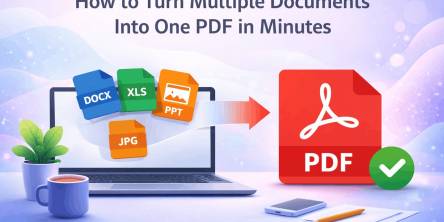
Managing multiple documents can quickly become frustrating. Imagine sending several files in an email, uploading different attachments to a submission portal, or sharing a business report with clients across multiple documents.

Energy efficiency is revolutionizing power distribution, leading to more sustainable and cost-effective energy systems.
Moving has a way of making even organized people feel scattered. One minute you’re labeling boxes. The next, you’re hunting for a receipt, calling the utility company, and wondering where the tape disappeared to.
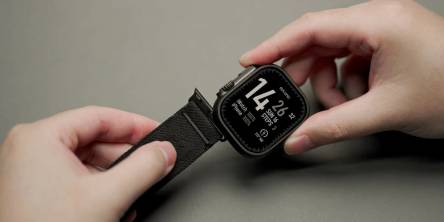
Apple devices break more than owners expect. This guide shows the cases, screen protectors, and Apple Watch bands that stop cracks, scratches, and costly repairs, plus how to change apple watch band in under a minute.

The aviation industry is rapidly modernizing, shifting from reactive, paper-heavy maintenance to highly automated, predictive ecosystems.

Learn what makes users trust a health app instantly and discover the design, security, and user experience factors that drive long term engagement.
Learn how Thunderbolt 4 docking stations support multiple displays, deliver fast data transfer, and create a streamlined, productive workspace.

Learn how ML development teams measure ROI from machine learning investments by tracking revenue growth, cost savings, productivity gains, risk reduction, and long-term business outcomes.