

Top 5 Best AI Video Workflows for Storytelling and Short-Form Content
Short-form storytelling requires more than attractive visuals. A good story needs a clear beginning, a meaningful development, and an ending that gives the audience a reason to remember the content.
AI video tools can support different parts of the storytelling process, from idea development and scene planning to visual creation and editing. The best workflow depends on the kind of story, the intended audience, and the level of creative control required.
Rather than naming one universal winner, this guide compares five AI video workflows that creators can evaluate when developing short stories, social media narratives, and visual explainers.
1. AI Story Ideation Workflows
The first category focuses on developing the story itself. AI can help creators explore possible characters, settings, conflicts, themes, and endings.
A short story idea should answer:
Who is the main character?
What does the character want?
What problem appears?
What changes by the end?
For example:
“A beginner creator has one day to prepare a video project but keeps changing the concept. After organizing the story into three scenes, the creator completes the project with confidence.”
This idea has a character, a problem, a process, and a conclusion.
Creators who want to explore visual storytelling concepts can look at Grok Imagine AI as a reference point for developing characters, locations, and visual directions.
2. AI Storyboard Workflows
Storyboards help creators decide what the viewer will see in each scene. A short video may only need five frames:
Frame one introduces the setting.
Frame two presents the conflict.
Frame three shows the turning point.
Frame four presents the action.
Frame five delivers the conclusion.
A storyboard can prevent a common problem in AI video production: generating unrelated scenes that look attractive but do not form a coherent story.
Each frame should have a purpose. If a scene does not move the story forward or provide important information, it may not be necessary.
3. Text-to-Video Story Workflows
Text-to-video workflows can help creators develop scenes from written descriptions. The prompt should include more than visual details. It should also explain the emotional purpose of the scene.
For example:
“Show a traveler standing alone at a quiet train station before sunrise. The character holds a small notebook and looks uncertain but hopeful. Use soft blue lighting and a slow camera movement. The scene should communicate the beginning of a difficult but meaningful journey.”
This prompt gives direction to the setting, action, mood, and story.
Creators should avoid writing long paragraphs with several events. One prompt should usually describe one main action.
4. AI-Assisted Short-Form Editing
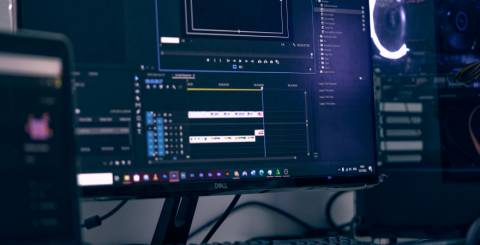
Editing determines how the audience experiences the story. Even strong scenes can feel confusing if they are arranged poorly.
An AI-assisted editor may help with:
• Scene trimming
• Caption creation
• Audio timing
• Transition suggestions
• Vertical formatting
• Shorter versions
However, the creator should remain responsible for the final edit. Automatic transitions may not always match the emotional rhythm of the story.
A storytelling video may need a slower opening, a faster middle section, and a calm conclusion. Editing should support that rhythm.
5. AI Visual Series Workflows
Some creators want to produce several connected episodes instead of one standalone video. A series workflow requires additional planning.
Keep track of:
• Character details
• Locations
• Color palette
• Narrative tone
• Episode structure
• Recurring visual elements
• Timeline or sequence
A Grok AI Video workflow can be considered as one reference point when developing a connected visual series. The creator should document the visual rules so that each episode feels related to the others.
How to Compare Storytelling Workflows
Choose an ideation workflow when you have a topic but not a complete story.
Choose a storyboard workflow when you need to organize scenes before production.
Choose text-to-video when written descriptions are the main starting point.
Choose AI-assisted editing when you already have footage or generated scenes.
Choose a visual series workflow when you plan to publish multiple connected episodes.
Creators may combine all five categories. A practical process could begin with ideation, continue with a storyboard, use text-to-video for scene concepts, and finish with editing and series planning.
How to Keep AI Stories Understandable
Short stories should be easy to follow. Use a limited number of characters and locations. Introduce important information early. Avoid changing the visual style without a clear reason.
A useful story should answer:
What is happening?
Why does it matter?
What changes?
What should the viewer remember?
If viewers cannot answer these questions, simplify the script or remove unnecessary scenes.
Common Storytelling Mistakes
One mistake is beginning with visual effects instead of a story. Effects cannot replace character motivation or a clear conflict.
Another mistake is creating too many characters. A simple story with one main character may be more effective than a crowded story with no clear focus.
Creators should also avoid confusing fictional content with real events. If a generated scene resembles a real location, public figure, or news event, make the context clear.
Frequently Asked Questions
What is the best AI workflow for short stories?
The best workflow depends on the project. Storyboarding and scene planning are usually useful before any generation begins.
How many scenes should a short video have?
There is no fixed number, but three to five connected scenes are often easier to manage for a beginner project.
Can AI create an entire story automatically?
AI can support ideas, scenes, and editing, but human direction is still needed to maintain meaning, continuity, and emotional clarity.
How can I make a series feel consistent?
Use the same character descriptions, visual style, color palette, narrative tone, and episode structure.
Conclusion
The top five AI video workflows for storytelling are story ideation, storyboarding, text-to-video generation, AI-assisted editing, and visual series production.
Each workflow solves a different problem. The strongest results come from combining them carefully rather than relying on one automatic process. Start with a clear story, plan the scenes, guide the visuals, and review the final edit from the viewer’s perspective.
Similar Articles

Discover how AI is transforming customer service by handling routine enquiries, improving routing, assisting employees and helping businesses spot patterns.

AI visual tools help solo creators generate thumbnails, images, and video fast—cutting design time without sacrificing quality or workflow.
Most people encounter "swap" tools as a single category. A video goes in, a different person comes out, and the marketing rarely bothers to explain what was actually exchanged.

In recent years, fluctuating raw material costs, pervasive labor shortages, and other such challenges have created a perfect storm for manufacturing organizations.

A content idea can be clear in your head and still become difficult the moment it needs a visual.

Explore MLOps vs LLMOps and learn how enterprise teams deploy, monitor, and scale AI systems in 2026 with smarter workflows and reliable operations.

The digital world has always been evolving at a rapid pace. Ever since it first emerged. Take static applications, for example; their architecture is no longer agile enough to meet consumer expectations

A software product that took eighteen months to go from concept to launch five years ago is now expected to ship in a fraction of that time.

Most agentic AI projects fail to scale profitably because they work fine in a controlled demo but break down once they meet real production volume, messy data, and unpredictable user behavior