

Tips and Tricks to Seriously Boost Performance on Any Android Phone
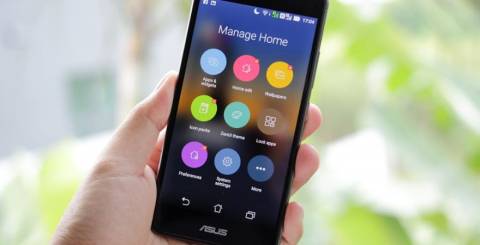
Over time, even the best phones can lose their speed due to everyday use. The good news is, you don’t need a new device to fix it. With a few simple tips and smart changes, you can bring your phone back to life and make it feel fast again.
In this blog, you’ll discover easy, practical tricks that actually work. Whether your phone is old or new, these steps will help you get better speed, smoother apps, and a much better overall experience.
Streamline Storage First, Everything Else Follows
Cluttered storage is quietly responsible for more slowdowns than most people realize. When your phone is stuffed to the brim, even basic operations get sluggish. The fix? Give it room to breathe.
Uninstall the Apps You've Stopped Using
Old, idle apps aren't harmless passengers; they take up storage and quietly use background resources. Head to Settings → Storage → Apps and take a close look. For more helpful tips, explore our android blogs and learn how to manage your device better. Be ruthless.
If you haven't opened something in three months, it probably doesn't deserve a place on your device anymore. Removing these apps is one of the fastest ways to boost Android performance with zero technical effort.
Hunt Down Large Hidden Files
Your Downloads folder is likely a graveyard of forgotten files. And WhatsApp? It can silently accumulate gigabytes through sent media and auto-saved content. Moving photos to Google Photos or another cloud service reclaims meaningful local space without losing anything important.
Clear App Cache Strategically
Cache serves a purpose , faster loading , but it compounds over time. Clearing cache for apps you use infrequently, especially those without saved login states, can recover real storage without touching any data you'd actually miss.
Trim the Interface , Small Changes, Immediate Results
Visual weight costs you more than you'd expect. Heavy launchers, animated wallpapers, widget-heavy home screens , they all quietly drain processing power in the background.
Try a Lightweight Launcher
Many stock Android launchers are resource-heavy by design. Switching to Nova Launcher, Niagara, or Smart Launcher 6 tends to feel noticeably snappier within minutes of installation. Honestly, this single change surprises a lot of people.
Drop the Live Wallpapers and Redundant Widgets
Live wallpapers look stunning in a store demo. In daily use, they burn CPU cycles for cosmetics you'll stop noticing in a week. Static wallpapers paired with a leaner home screen deliver a genuine speed boost , not a placebo one.
Reduce Animation Scales in Developer Options
This is, without question, one of the highest-impact adjustments available to any Android user. Enable Developer Options by tapping Build Number seven times in Settings → About Phone.
Then dial Window animation scale, Transition animation scale, and Animator duration scale down to 0.5× , or switch them off entirely. The difference is almost jarring. Your phone will feel dramatically more responsive.
Go Deeper , Optimize System Behavior
Most users never touch these settings. That means most users are leaving measurable performance on the table.
Cap Background Processes
In Developer Options, locate "Background process limit" and reduce it. This prevents apps from quietly hoarding RAM and CPU while you're not actively using them. The effect compounds over time.
Disable Bloatware Without Rooting
Pre-installed apps that can't be normally deleted? They can still be disabled using ADB (Android Debug Bridge) commands from a PC , no root access required. Fewer background processes means more available resources for everything you actually care about.
Clear the Device Health Services Cache
Underrated move. Clearing this cache lets Android recalibrate how it manages performance. Takes roughly ten seconds and can noticeably reduce micro-lag , that slight hesitation you feel but can't quite name.
Control Heat, Thermal Throttling is Real
Your phone deliberately slows its processor when temperatures climb too high. This is thermal throttling, and it's why a device that feels snappy in the morning can feel sluggish after extended use.
Practical Habits That Reduce Heat
Remove thick cases during gaming or heavy processing tasks. Turn off 5G when signal is weak, hunting for a signal generates heat that stacks up. Lower screen brightness during extended sessions, and avoid charging while running demanding applications.
These small habits help you genuinely optimize your Android phone performance when it matters most.
Maintenance Habits That Keep the Gains
Getting your phone fast is one thing. Keeping it fast takes consistency.
Restart Regularly and Stay Updated
A simple restart every few days clears accumulated temporary processes. OS and app updates frequently carry real performance improvements; Google's AutoFDO kernel optimization alone delivered 4% faster cold app launches in early Pixel testing.
Treating updates as optional is a mistake. Following through on practical android performance tips like this keeps your device running efficiently long-term.
Audit Your App Permissions
Apps with persistent access to location, microphone, or background sync are consuming processing power continuously. Reviewing and tightening those permissions meaningfully reduces drain, and helps you speed up Android without installing a single additional tool.
Frequently Asked Questions
What causes Android phones to slow down over time?
Storage fills, background processes pile up, and system cache expands. Aging hardware handling increasingly demanding software accelerates the decline, but most of these causes are reversible.
How much does disabling animations actually help?
More than most expect. Reducing scales to 0.5× makes every interaction feel nearly instant. Arguably the single highest-impact tweak available.
Can I remove bloatware safely without rooting?
Yes, ADB commands disable pre-installed apps without modifying system files or affecting your warranty.
Does overheating really slow the processor?
It does. Thermal throttling is a deliberate protective mechanism. Managing device heat is a legitimate, often overlooked performance factor.
Do these apply to flagship phones, too?
Absolutely. Even premium hardware benefits from cleaner processes and a leaner interface. The gains scale accordingly.
Closing Thoughts
A sluggish Android phone is rarely a lost cause. It's usually just a backlog of small, addressable problems. Start with animation scaling and storage cleanup; those two moves alone will shift how your phone feels day-to-day.
Layer in the deeper system optimizations, build consistent maintenance habits, and you'll likely be surprised by how much performance your current device still has available. It's already in your hands.
Similar Articles
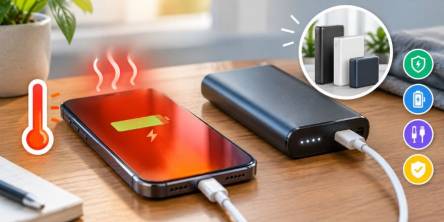
Wondering why your phone overheats while charging? Learn common causes and portable charger tips to keep your device cool, safe, and powered efficiently.
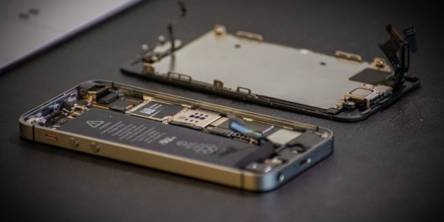
Dropped your iPhone? Use this checklist to test the screen, speakers, sensors, cameras, and other key features for hidden damage.

A traveler lands in a new country, turns off airplane mode, and expects a smooth connection.

Considering there is so much competition when it comes to selling remanufactured phones, you have

The stigma around refurbished phones still lingers, even though they’ve become a smart and sustainable choice for many consumers. Misinformation, outdated perceptions, and myths keep some people from considering a refurbished device despite the significant savings and environmental benefits they offer.

In today’s fast-paced world, smartphones have become an essential part of daily life.

Due to advancement in technology, smartphones are not only communication gadgets. These devices monitor our every move using complicated systems incorporated in them that generate a lot of information which may be incomprehensible to use most of the time.
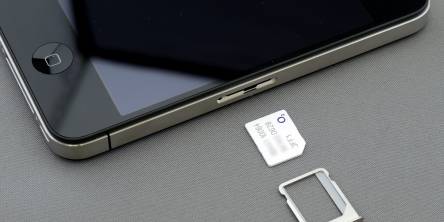
In our digitally connected world, the importance of SIM (Subscriber Identity Module) cards in wireless communication cannot be overstated. These diminutive components are fundamental to mobile technology, acting as critical links between users and their network providers.

Getting a good phone contract is really important for a number of reasons. First of all, a good deal saves you money and leaves you cash to spare.