

The Post-Drop iPhone Checklist: How to Test Your Screen, Speakers, and Sensors
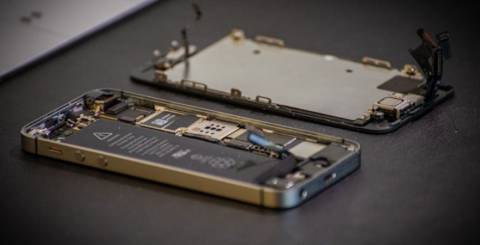
You pick the phone up off the pavement, turn it over, and the screen lights up. No cracks. Relief arrives immediately; you put it back in your pocket, and the incident is over.
Except it might not be. A drop sends force through the entire chassis, and the display is only one of the things standing in its path. Cameras, microphones, the taptic engine, and a whole cluster of sensors all sit inside that frame, and most of them fail quietly.
This is how people end up on a call a week later finding the iPhone speaker grayed out and unresponsive, with no idea it connects back to a drop they had already forgotten about. By then the timeline is muddy, and any claim or return conversation is harder.
Fifteen minutes of testing now tells you what actually survived. Here is the checklist.
Key Takeaways
● "It still turns on" is not a diagnosis.
● Sensor damage is the category people miss most often after a drop.
● Test everything within the first day, while the timeline is clear.
● Apple offers a free diagnostics tool that ordinary owners can run.
● Some faults take a week to appear, so run a second pass.
Before You Start
Take the case off first. Cases hide frame damage, and frame damage matters more than most people assume.
Back up the phone before you begin, in case a marginal fault gets worse while you are poking at it. Photograph any visible damage now and note the date somewhere, because that record is worth more than you think if a claim comes up later.
Then find somewhere with good light and access to a dark corner. You will need both.
Part One, The Screen
A screen that lights up and a screen that works are two different claims.
The Angled Light Pass
Tilt the phone under a light source and look across the surface rather than straight at it. You are checking for hairline cracks near the corners, glass that has lifted slightly at the edges, and any gap where the display no longer sits flush against the frame.
That last one is the important one. A frame that has opened up can compromise water resistance, even when the glass is perfectly intact.
Solid Colour Tests
Put the screen on full white at high brightness, then full black in a dark room, then solid red, green, and blue.
White exposes patches, dust, and tint variation across the panel. Black exposes dead pixels and uneven light. The colour screens catch pixels that fail on only one channel.
Pressure Marks and Bright Patches
Look carefully at the point of impact on the white screen. A pale or bright patch there is common, and what people describe as a white spot in iPhone screen discussions is usually the display layers compressing rather than cracking.
Two things to know. It sometimes appears days after the drop rather than immediately, so its absence today is not a clean bill of health. And it never fades, so no amount of restarting will help.
The Touch Sweep
Drag one finger slowly across the entire screen in overlapping passes, edge to edge, and watch for anywhere the trail breaks.
Then open the keyboard and type a few lines at normal speed. Dead zones hide well during casual use and reveal themselves the moment you type quickly. Finish by testing press-and-hold gestures in a few different corners of the screen.
Part Two, Speakers and Microphones
A phone has more audio hardware than most people realise. A drop can take out one path entirely while the others carry on working, which is why partial audio faults confuse people.
The Two Speakers
Play music through the bottom speaker at high volume and listen for rattle or distortion, not just for sound being present.
Then make a call and hold the phone to your ear as usual to test the earpiece. These are separate components, and they fail separately.
The Microphones
There are three worth checking, and each has its own test.
● Bottom microphone: record a Voice Memo and play it back
● Front microphone: record a short selfie video
● Rear microphone: record a video with the rear camera
A phone can pass two of these and fail the third. That pattern is genuinely useful, because it hints at where the impact force actually landed.
Controls That Look Unavailable
There is a difference between a control that produces no sound and one that appears inert and does not respond at all.
Before concluding anything, restart the phone, switch Bluetooth off, and confirm nothing is paired and quietly routing audio elsewhere. A surprising share of these faults are the phone believing headphones are still connected.
If the control remains unavailable across all apps after that, treat it as hardware.
Haptics
Check the vibration on an incoming call and the small tap on keyboard feedback.
The taptic engine sits centrally in the phone and takes impact force directly, so it is worth a few seconds even though nobody thinks to test it.
Part Three, The Sensors
This is the section that matters most, because these are the failures nobody checks for. They also do real damage to resale value, since the next owner will eventually find them.
Face ID
Test it in bright light, in a dark room, and at an angle rather than straight on.
Intermittent failure counts. Face ID that works four times out of five is a fault, not a quirk, and it is worth knowing before anyone opens the phone for other reasons.
Proximity Sensor
Make a call and hold the phone to your ear. The screen should go dark.
If it stays lit, expect calls being muted or ended by your cheek. It is a small component with a disproportionate effect on daily use.
Ambient Light Sensor
Turn auto-brightness on, then walk from a bright room into a dark one and watch the screen.
A display that no longer adjusts is usually a sensor problem rather than a setting problem, though it is worth confirming the setting is actually enabled first.
Accelerometer and Gyroscope
Rotate the phone and confirm the display follows smoothly in both directions.
Then use a level tool if your phone has one available, since a flat surface will expose drift that simple rotation testing misses entirely.
Compass
Open the compass, rotate slowly through a full turn, and watch the heading. It should move steadily.
Jumping, sticking, or a heading that lags points at a magnetometer badly knocked out of calibration. This affects navigation more than people expect.
Cameras
Photograph a flat, evenly lit surface with every lens on the phone.
Look for blur confined to one corner, dust specks that appear in the same spot every time, and softness in one lens that the others do not share. Shake the phone gently near your ear as well. A faint rattle can indicate stabilisation hardware that has come loose.
Finish with the flash and portrait mode, since both rely on additional hardware that a drop can disturb.
Buttons, Charging, and Wireless Charging
Press every physical button, including the mute or action control. Plug in a cable and confirm charging starts cleanly.
If you have a wireless charger, use it. The charging coil sits behind the back glass, which makes it one of the more likely casualties of a rear impact and one of the least likely things anyone tests.
Part Four, Apple's Own Diagnostics
Most people do not know this exists, and it is free.
Apple Diagnostics for Self Service Repair is available to ordinary owners, not just to technicians. It runs the same hardware test suites that authorised providers use, and Apple documents the process on its self-service repair pages.
The setup is unusual, so it is worth stating plainly. You start the phone in diagnostics mode, then open a session in a browser on a second device and enter the phone's serial number. The tests then run on the phone and report results to the second screen.
The available suites cover much of what this checklist covers by hand, including display pixel anomalies, multi-touch, camera image quality, Face ID, and audio output.
Two honest limits. It needs a supported model and a second device, and running a test does not fix anything. It confirms what is wrong, which is exactly what you want before anyone quotes you a price.
The Faults That Appear Later
Some damage takes time to surface, which is why one testing pass is not enough.
● Hairline cracks spreading outward from a corner over the following weeks
● Battery behaviour changing, with faster drain or unexpected shutdowns
● Water resistance already compromised, which only reveals itself the next time the phone gets wet
● Face ID drifting from reliable to intermittent
● Pressure marks on the display darkening or growing
Run the full checklist again after a week and note any changes. It takes fifteen minutes, and it catches the faults that would otherwise arrive as a surprise.
Reading Your Results
Not everything on this list demands action today. Some findings are urgent, some are simply worth documenting.
| What you found | Likely area | How urgent |
| Bright or pale patch at the impact point | Display assembly | Repair when convenient, will not improve |
| Dead touch zone | Display assembly | Repair soon, tends to spread |
| One microphone failing | Mic module or board | Diagnose before paying for anything |
| Audio control permanently unavailable | Often board level | Professional assessment |
| Face ID intermittent | Sensor array | Assess before any screen work |
| Compass or level drifting | Sensor calibration or damage | Low urgency, note for resale |
| Glass lifted from the frame | Frame and sealing | Address soon, water resistance affected |
What to Do With the Results
Write down what you found, with the date, and keep the photographs somewhere you will find them again.
Check your coverage status before booking any repair, since it changes what the same job costs considerably. If a claim is on the table, the gap between the drop and the report matters, so do not sit on it.
And if you plan to sell the phone, disclose what you found. A careful buyer runs these same tests, and being upfront costs less than being caught.
Final Thoughts
The phone turning on tells you almost nothing. It is the least demanding test there is, and it is the only one most people run.
Fifteen minutes of structured testing tells you what actually survived the fall. Do it while the drop is recent, write down what you find, and you turn a vague worry into something you can act on.
FAQs
How soon after a drop should I test my phone?
The same day if you can. Testing early gives you a clean timeline for any claim and catches faults before you have adapted to working around them.
My phone seems fine, do I really need to check the sensors?
Yes. Sensor faults are the ones that stay invisible during normal use and then surface at the worst moment, usually during navigation or a call.
Can a drop break water resistance without cracking anything?
It can. Seals and adhesive can be compromised by impact alone, which is why a frame that no longer sits flush warrants serious attention.
Why did a problem appear a week after the drop?
Impact damage can be partial. Cracks spread, connections that were merely loosened work themselves free, and compressed display layers take time to show.
Can I run Apple's diagnostics myself?
On supported models, yes, using a second device and a browser session. It reports faults rather than fixing them.
Similar Articles
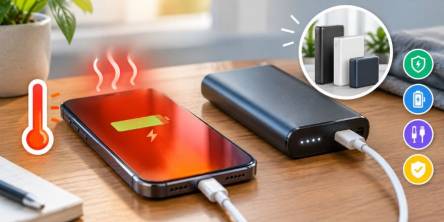
Wondering why your phone overheats while charging? Learn common causes and portable charger tips to keep your device cool, safe, and powered efficiently.

A traveler lands in a new country, turns off airplane mode, and expects a smooth connection.
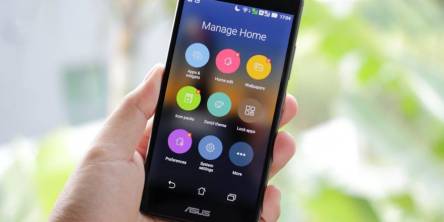
Speed up any Android phone with proven tips—optimize settings, clear clutter, manage apps, and boost battery and performance for smoother everyday use.

Considering there is so much competition when it comes to selling remanufactured phones, you have

The stigma around refurbished phones still lingers, even though they’ve become a smart and sustainable choice for many consumers. Misinformation, outdated perceptions, and myths keep some people from considering a refurbished device despite the significant savings and environmental benefits they offer.

In today’s fast-paced world, smartphones have become an essential part of daily life.

Due to advancement in technology, smartphones are not only communication gadgets. These devices monitor our every move using complicated systems incorporated in them that generate a lot of information which may be incomprehensible to use most of the time.
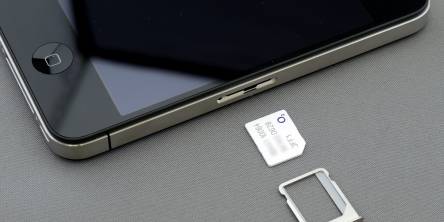
In our digitally connected world, the importance of SIM (Subscriber Identity Module) cards in wireless communication cannot be overstated. These diminutive components are fundamental to mobile technology, acting as critical links between users and their network providers.
Getting a good phone contract is really important for a number of reasons. First of all, a good deal saves you money and leaves you cash to spare.