

How to Crop a PDF Online With an Official Tool
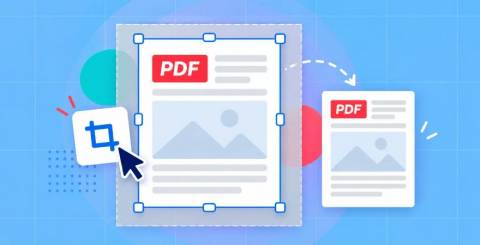
To crop a PDF online with an official tool, use the free Adobe Acrobat online cropper. You can crop PDF pages in any web browser by uploading the file, signing in with a free Adobe account, dragging a crop border to the area you want to keep, and applying it to one page or a page range before downloading.
This guide is for anyone who wants a trustworthy, browser-based PDF tool that can trim margins or resize pages without installing desktop software.
Where Can You Crop a PDF With an Official Tool?
The most direct official option is Adobe Acrobat online, made by Adobe, the company that created the PDF format. Its crop tool runs in any modern browser, including Chrome and Edge, so it works on Windows, Mac, and Linux without a download. An "official" tool simply means you use the crop feature on the developer's own website rather than a copy, mirror, or reseller page. That matters for PDFs because you are uploading a file to a server, and the official site is where the privacy policy, terms, and file-handling rules actually apply. Adobe states that uploaded files are handled on Adobe servers and deleted unless you sign in to save them. Cropping is free, but you sign in with a free Adobe account before the crop is applied.
What the official Adobe crop tool can do
● Trim white margins from scanned or exported pages
● Change the visible page size so content fits a specific layout
● Crop one page, a range of consecutive pages, or every page in the file
● Save the cropped PDF to download or keep in Adobe cloud storage
What cropping does not do
Cropping hides the content outside the crop area. It does not delete it, so the file size usually stays about the same. Because the hidden content is still there, resetting the page size can bring the original page back. If you need a smaller file, compress the PDF as a separate step. If the cropped-out area contains sensitive information, cropping alone will not remove it.
How Do You Crop PDF Pages With an Official Tool?
To crop PDF pages with Adobe's official online tool, upload the PDF, sign in for free, and adjust the rectangular crop border that Acrobat places on the first page. You then choose whether the crop applies to that page only, a range of consecutive pages, or all pages. Acrobat uses the same crop area on every page you select, which is useful when a document has mixed page sizes and you want them to look consistent. When the crop is applied, you save the new PDF and download it. The whole process happens in the browser, so it works on a laptop or desktop without installing Acrobat. For multi-page jobs, set the crop on a page that represents the rest of the document, since that one area is reused across the range.
Single page or whole document
● One page: crop only the page that has the extra margin, scanner edge, or unwanted header.
● A page range: useful for a chapter or section that was scanned at a different size.
● All pages: the fastest choice when every page shares the same white border.
When you need more page control
The free online tool focuses on cropping. Reordering, deleting, rotating, or inserting pages after a crop is handled by Adobe's other online page tools or by Acrobat Pro, which Adobe offers with a seven-day free trial for Windows and Mac. Acrobat Pro also adds editing, OCR for scanned PDFs, and compression in one desktop app.
How Does the Official Sejda Crop PDF Online Tool Compare?
The main browser-based tools for cropping PDF pages are Adobe Acrobat online, Sejda, Smallpdf, iLovePDF, and PDF24 Tools. Sejda's official crop tool lives on sejda.com and needs no account. It offers three modes: automatic cropping with one size for all pages, automatic maximum cropping of each page, and a preview mode where you select crop areas yourself. You can also type exact top, bottom, left, and right margins in inches or centimeters. The free tier covers documents up to 200 pages or 50 MB and 3 tasks per hour, and Sejda says uploaded files are deleted after 2 hours. Like Adobe, Sejda notes that cropped-out content is hidden rather than fully removed. Sejda also sells a desktop app that processes files on your own computer.
Browser-based PDF crop tools at a glance
| Platform | Best For | Key Details |
| Adobe Acrobat online | Cropping with the PDF format's creator | Free with a free Adobe account; crop one page, a page range, or all pages; works in any modern browser |
| Sejda | Precise margins and auto-cropping | No account needed; margins in inches or cm; free up to 200 pages or 50 MB, 3 tasks per hour |
| Smallpdf | Quick crops without signing up | Crop one page or the whole document; free with usage limits; files deleted after 1 hour |
| iLovePDF | Simple current-page or all-pages crops | Drag-to-select crop box; cloud storage import; files deleted after 2 hours |
| PDF24 Tools | Free cropping with no stated limits | Free online with Google Drive import; offline PDF24 Creator app for Windows |
Choosing between them
● Need an account-free crop? Sejda, Smallpdf, iLovePDF, and PDF24 Tools all start without sign-in.
● Need exact measurements? Sejda lets you enter margin values directly.
● Want cropping inside a full PDF suite from the format's developer? Adobe Acrobat online pairs cropping with Adobe's other PDF tools and Acrobat Pro.
● Handling confidential files? Sejda Desktop and PDF24 Creator process files on your own machine instead of a server.
Frequently Asked Questions
Do I need to install software to crop a PDF?
No. Adobe Acrobat online, Sejda, Smallpdf, iLovePDF, and PDF24 Tools all crop PDFs inside a web browser. Adobe says its crop tool works in browsers such as Chrome and Edge, which means it runs on Windows, Mac, and Linux. You only need desktop software if you want to keep files off the internet entirely or need advanced features. In that case, Acrobat Pro, Sejda Desktop, and PDF24 Creator are installable options that handle cropping locally.
Is cropping a PDF online free?
Yes, for most everyday jobs. Adobe's online crop tool is free once you sign in with a free Adobe account. Sejda's free tier allows documents up to 200 pages or 50 MB, with 3 tasks per hour. Smallpdf offers free cropping with usage limits, and PDF24 Tools advertises free online cropping with no limits. Paid plans on these platforms mainly add higher limits, batch processing, and access to more PDF tools.
Is it safe to upload a PDF to an online crop tool?
Using the official site is the safest online route, because its stated file policies apply. Adobe says uploaded files are deleted unless you sign in to save them. Sejda and iLovePDF state that files are deleted after 2 hours, and Smallpdf states 1 hour. For contracts, IDs, or medical records, a desktop app keeps the file on your computer. Remember that cropping hides content rather than erasing it, so use a redaction tool when information must be permanently removed.
The quickest official way to crop a PDF online is Adobe Acrobat's free browser tool, which trims one page, a range, or a whole document after a free sign-in.
Similar Articles
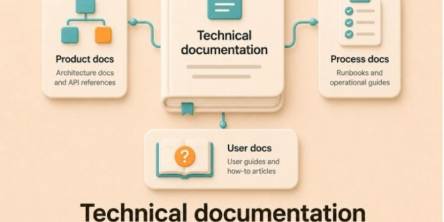
Discover how to build a reusable content pipeline for complex product documentation, improving consistency, scalability, collaboration, and efficiency.

For many SaaS teams, the decision to adopt Auth0 early on makes perfect sense.

Explore supported file formats for online learning aid platforms and learn how to import content for creating flashcards, mind maps, and quizzes.
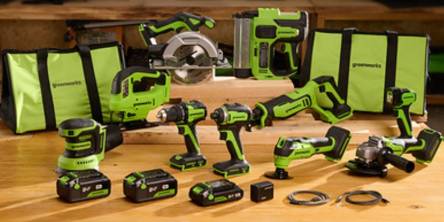
Learn how to compare cordless yard tools by battery runtime, cutting performance, power, and efficiency to choose the right equipment for your lawn.
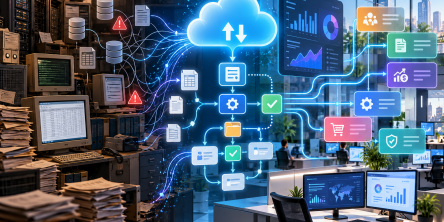
In today's highly competitive corporate environment, clinging to outdated technology is a costly mistake. Enterprises globally are realising that their legacy systems, once the backbone of their operations, are now creating severe bottlenecks.
Learn how knowledge management clears duplicate files and conflicting policies, creates one source of truth and keeps your AI and teams accurate.
Giga vs eight for calls: compare talktime, SMS, and IDD allowances, plus what happens when minutes run out, so you pick the right SIM-only plan.
Stay powered and connected with Belkin's portable power banks, chargers, durable cables and routers built for modern devices and everyday reliability.

Learn how Belkin's innovative connectivity solutions, from durable USB-C cables to fast charging, are reshaping everyday tech accessories.