

Best Practices for Ensuring Azure Cloud Security

In an era where digital assets and data are the lifeblood of businesses, ensuring robust cloud security has never been more crucial. As a rapidly growing number of companies and other entities in the world embrace cloud computing, it has become vital to focus on the one factor that remains all-important, no matter the technology involved: security. Given that we are dealing with the digital realm, safety is, of course, important. Azure, Microsoft's cloud platform, has become an integral part of the infrastructure of countless organizations. However, as the adoption of Azure grows, so does the need for comprehensive security measures. To safeguard your organization's sensitive information, applications, and resources in the Azure cloud environment, it's essential to implement top-notch security best practices.
With this blog, I'll delve into the most critical Azure cloud security best practices that every organization should embrace. So whether you're a seasoned cloud architect or just starting your journey into Azure, understanding these principles will help fortify your digital fortress and protect your assets in the cloud.
What is Azure Cloud?
Think of Azure Cloud as a gigantic, super-powered computer based in a data center. For customers, it means that instead of having a server in their office, they can use the Azure Cloud to store files and do all sorts of computer stuff, including running software. However, instead of all that happening on their device, it is all happening on a Microsoft data center somewhere.
Suffice it to say that Azure Cloud is a tool that can help one create, deploy, and manage apps and services. However, none of these are viable without proper security practices. So, let us tell you about some of the most essential Azure best practices for ensuring security in the digital realm.
Azure Cloud Security: Top Best Practices
- Multi-factor authentication: This may seem a tad basic, but we cannot insist enough on how vital multi-factor authentication is for cloud security. It brings in an additional layer of protection by asking users to provide two or more forms of verification, such as a password and a one-time code sent to a mobile device, before they are granted access to the requisite resources on Azure Cloud. So make sure that MFA is enabled for employee/user accounts needing access to Azure resources.
- Data and database security: Because Azure is a Microsoft offering, it ought to come as no surprise that this baby comes loaded to the gills with security-focused features and provisions. However, it is still upon us to leverage such requirements to ensure the security of our resources. Let's start with data encryption: enable it for both data at rest and in transit. Bringing robust access controls and least privilege principles is also advisable. Oh, and did we mention that you can also use Azure to track who accesses your data and what they do with it?
- Compliance: Compliance is a critical factor for, well, every industry that we can think of. Thankfully, Azure brings plenty of tools and features to help companies achieve the requisite compliances. For example, Azure Compliance Center enables you to analyze compliance with various industry and regulatory standards. Azure Policy and Azure Blueprints also help companies implement compliance policies and governance standards across their resources on Azure.
- Cloud network security: Azure can help companies meet their cloud network security needs. One can put Network Security Groups to work to control inbound and outbound traffic to Azure resources. You can also deploy Azure Firewall to safeguard your company's virtual network from unauthorized traffic and threats. Think of the Azure Firewall as a centralized security gateway, if you will.
Applying the above-listed best practices is vital for establishing and maintaining a strong security posture in Azure.
Similar Articles
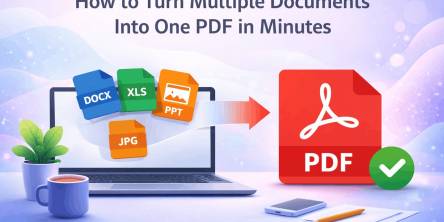
Managing multiple documents can quickly become frustrating. Imagine sending several files in an email, uploading different attachments to a submission portal, or sharing a business report with clients across multiple documents.

Energy efficiency is revolutionizing power distribution, leading to more sustainable and cost-effective energy systems.

Moving has a way of making even organized people feel scattered. One minute you’re labeling boxes. The next, you’re hunting for a receipt, calling the utility company, and wondering where the tape disappeared to.

Apple devices break more than owners expect. This guide shows the cases, screen protectors, and Apple Watch bands that stop cracks, scratches, and costly repairs, plus how to change apple watch band in under a minute.

The aviation industry is rapidly modernizing, shifting from reactive, paper-heavy maintenance to highly automated, predictive ecosystems.

Learn what makes users trust a health app instantly and discover the design, security, and user experience factors that drive long term engagement.

Learn how Thunderbolt 4 docking stations support multiple displays, deliver fast data transfer, and create a streamlined, productive workspace.
Learn how ML development teams measure ROI from machine learning investments by tracking revenue growth, cost savings, productivity gains, risk reduction, and long-term business outcomes.

Whether you are storing personal photos, school projects, work documents, or business files, cloud storage makes it easy to access your data from anywhere with an internet connection.