

Why Should You Use a Free Link Checker Before Clicking Unknown Links?
Here's something that happens constantly: millions of people tap or click links every single day without a second thought. And honestly? That one careless click might just crack open the door to identity theft, vicious malware, or watching your bank account drain in real time.
Cybercriminals have gotten scary good at crafting malicious links that mimic legitimate ones. They hide nasty surprises behind shortened URLs and domains that look remarkably familiar. But here's the silver lining you need to hear. You won't need to drop cash on expensive security software to shield yourself. Basic verification tools can flag danger before you end up as another statistic, potentially saving you from consequences that could wreck your finances and sanity.
The Hidden Dangers Lurking Behind Suspicious Links
Getting a handle on the specific threats hiding in your inbox, text messages, and social feeds? That's your first step toward understanding why verification isn't optional anymore.
Phishing Schemes Designed to Steal Your Personal Information
Today's phishing attacks aren't those laughably bad emails from a "Nigerian prince" anymore. Criminals now build pixel-perfect knockoffs of banking portals, payment gateways, and login screens that fool even folks who consider themselves tech-savvy.
These counterfeit websites snatch your credentials the instant you enter them. Once attackers grab your login info, they'll empty your accounts, rack up unauthorized charges, or flip your data on the dark web for profit. The financial carnage frequently hits thousands of dollars before victims catch on that something's gone horribly wrong.
Malware and Ransomware Distribution Through Malicious URLs
A single thoughtless click can unleash ransomware that completely locks down your computer system. Recent findings show that 82% of SMBs fail because of poor cash flow management, and ransomware attacks amplify this disaster by holding your files hostage until you pay up. These nightmares spread through links embedded in emails, social posts, and sometimes even legitimate websites that got compromised. Your device becomes infected silently while you're browsing what appears completely normal.
Drive-By Downloads That Install Without Your Consent
Certain malicious links don't even need you to manually download files. The website itself weaponizes browser weaknesses to auto-install spyware or trojans. No confirmation prompts. No warning screens. The whole thing completes in seconds flat. Mobile devices aren't immune either; attackers specifically hunt for outdated operating systems and security patches you haven't installed yet.
Critical Scenarios Where Link Safety Tools Become Essential
Risky links show up in numerous places during your routine, and recognizing where these threats commonly appear makes you sharper and better protected.
Emails from Unknown or Suspicious Senders
That panicked message insisting your package is stuck in limbo? Almost certainly a smishing attempt. The second you wonder is this url safe, pause and scrutinize the sender's email address closely. Spoofed addresses typically contain extra characters, weird spelling, or domains that don't actually match the company being impersonated. Corporate teams face this barrage constantly, with business email compromise schemes specifically hunting financial departments and executives.
Social Media Direct Messages and Posts
LinkedIn, Facebook, Instagram, and Twitter messages from supposed "friends" frequently carry compromised links. When someone's account gets hijacked, criminals blast malicious links to every person on their contact list. Shortened URLs completely obscure the real destination, making it impossible to assess safety just by eyeballing the link. Influencer accounts become prime targets since their massive follower counts translate to more potential victims.
Text Messages and SMS Phishing Attempts
Package delivery scams have absolutely exploded lately, with criminals firing off fake tracking links through SMS. These messages manufacture urgency ("Your package gets returned tomorrow!") to force hasty clicks without any verification step. Bank notification frauds operate similarly, claiming suspicious account activity happened and demanding immediate login via their sketchy link.
Game-Changing Benefits of Using a Free Link Checker
Modern link safety tool options deliver robust protection without monthly fees, which democratizes security for everyone regardless of their budget situation.
Real-Time Threat Detection and URL Analysis
Top-tier tools cross-reference URLs against continuously refreshed databases packed with millions of confirmed malicious sites. They evaluate domain age, SSL certificates, redirect sequences, and content fingerprints within moments. Research indicates that 71% of small business owners said they had digitally optimized their business over the past 12 months, and incorporating security tools represents intelligent optimization that blocks expensive breaches.
Safe Preview Before Visiting Any Website
Many free link checker platforms display screenshots of the destination page before you actually land there. This preview exposes suspicious elements, fake login boxes, amateurish page design, or content wildly different from what you anticipated. Brand impersonation schemes become immediately obvious when the preview reveals a clumsy imitation instead of the authentic company site.
Device and Network Security Preservation
When you verify unknown links beforehand, you stop malware from ever touching your device. This prevention-first strategy blocks infections that could potentially cascade across your home or office network. IoT gadgets sharing the same network stay protected when you eliminate threats right at the entry point.
Professional Best Practices for Link Security in Different Environments
Various settings demand customized approaches to link verification, with distinct challenges in business, personal, and e-commerce situations requiring specialized security tactics.
Corporate and Business Email Protection Strategies
Employee education programs need to stress verification tools as essential for everyday workflows. IT teams might deploy gateway security that auto-scans links, yet individual alertness remains absolutely vital. Business trend data reveals that 63% of business owners plan to do just that this year (https://www.score.org/resource/article/how-business-owners-can-move-thro...), referring to expansion initiatives that boost online visibility and necessitate solid link verification habits.
E-commerce and Online Shopping Precautions
During online shopping, merchants should check links before clicking on vendor messages to dodge fake order confirmations and payment cons. Confirm that checkout pages implement HTTPS encryption and perfectly match the merchant's official domain. Customer feedback on independent review sites helps validate vendor authenticity before you hand over payment details.
Step-by-Step Process to Check Links Before Clicking Safely
Executing a methodical verification routine consumes less than sixty seconds but can rescue you from weeks of damage control following a security incident.
Copy the Suspicious URL Without Clicking
On computers, right-click the link and choose "Copy link address" rather than clicking straight through. Mobile users need to long-press the link until menu options surface, then copy without accidentally releasing their finger onto the actual link itself.
Examine the URL Structure for Red Flags
Watch for mangled brand names, strange characters, excessive parameters, and questionable top-level domains like .tk or .ml. Legitimate corporations rarely deploy obscure domain extensions or throw random numbers and hyphens into their official URLs.
Paste the Link Into Your Chosen Link Checker Tool
Feed the copied URL into a trustworthy scanning service. Several tools provide complementary analysis, so running the link through two or three different checkers delivers thorough coverage and minimizes false positive worries.
Common Questions About Link Safety
1. What happens if I click an unknown link?
If you clicked on something you shouldn't have, your data or device could be compromised or already infected. Immediately disconnect from the internet, execute a complete malware scan, and update passwords for critical accounts to protect against phishing and contain potential damage.
2. Are URL checkers free to use?
Absolutely, numerous reputable services provide instant URL verification at zero cost. These platforms scan for malware, phishing campaigns, and fraud markers, delivering immediate feedback without demanding payment or subscriptions for essential protection capabilities.
3. Can link checkers guarantee 100% protection?
No security tool offers absolute certainty, because fresh threats materialize constantly. That said, combining several scanning services with meticulous URL inspection dramatically cuts your risk of clicking malicious links and encountering brand-new exploits.
Final Thoughts on Link Security
Digital dangers shift constantly, but verification tools give everyday users a fighting chance against criminals. Building link-checking into your routine requires trivial effort compared to bouncing back from identity theft or malware chaos.
You've already got free resources accessible at this moment that block most attacks before they launch. Don't wait until after you've clicked something dangerous to regret not spending that extra second verifying. Your financial security, personal information, and mental peace deserve this straightforward protective measure.
Similar Articles
Learn what companies should consider when reviewing digital security: risk assessment, compliance, staff training, and monitoring best practices.

Free training has a reputation problem, and it is mostly deserved. Much of what circulates online is a recorded playlist, a login page, and a certificate nobody reads. So scepticism is a reasonable first reaction, followed by a specific question: what is being taught, and what is the catch?
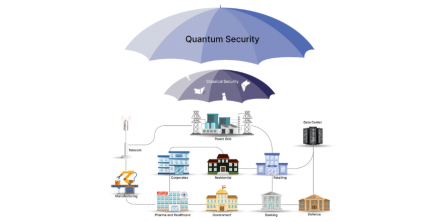
Learn how quantum key distribution works and why it matters for enterprise security architects building future-ready, quantum-safe security systems.

These days, with everything so connected online, privacy on the internet is not really optional anymore. It’s something people genuinely need. Users deal with risks all the time, from data leaks and identity theft to creepy tracking and blocked content based on location.

Practical cybersecurity upgrades small businesses should make in 2025 to reduce risk, prevent breaches, protect data, and strengthen defenses without large budgets.

Discover key strategies, tools, and best practices in this ultimate guide to pentesting cloud services for stronger, smarter, and more robust security.

With the age of digitalization at its peak, cyber threats are rising at an exponential rate. Organizations, small or large, from any industry, become vulnerable to cybercriminals who seek to steal information, disrupt operations, or demand ransom.

Implement virtual CISO services in 13 steps to enhance cybersecurity, manage risks, ensure compliance, and protect your business from evolving digital threats.

Protect your small business with easy cybersecurity tips. Learn to implement strong passwords, MFA, software updates, and more to stay secure from online threats.