

How to Prepare a Shopify Development Brief in 7 Steps

A Shopify project can lose time before development begins if the business goal, affected systems and approval process are unclear. Requests such as “improve the store” or “build a custom feature” do not give a project team enough information to estimate scope or test the result.
A development brief does not need to prescribe the technical solution. It should explain the commercial problem, existing environment, required outcome and constraints that will guide discovery.
1. State the Business Problem
Begin with the reason for the project rather than a list of desired features. Describe what customers or employees cannot do today and how that affects the business.
For example, the problem may involve slow product administration, an inflexible landing-page system, missing subscription functionality or an integration that creates duplicate inventory records.
Include evidence such as support tickets, workflow observations or analytics where available. Avoid assuming the cause until it has been investigated.
2. Define the Required Outcome
Explain what should be possible after the project is complete. Use outcomes that can be reviewed rather than broad goals such as “make the store better.”
A useful outcome might require the merchandising team to build approved landing pages without editing code, or require inventory changes from the ERP to appear in Shopify within an agreed period.
Separate essential outcomes from optional improvements so estimates reflect the real launch requirements.
3. Document the Current Store Environment
List the Shopify plan, theme, markets, applications, custom code and connected business systems relevant to the request. Identify which system owns product, customer, inventory and order data.
Record known limitations, previous customizations and upcoming business events that may affect delivery. Provide access through the company’s approved credential and permission process rather than placing passwords in the brief.
Note whether development, staging or version-control environments already exist.
4. Identify the Workstreams
A project may involve design, theme development, application configuration, custom integrations, migration, performance work or conversion analysis. Merchants comparing a shopify agency should confirm which of these capabilities are needed and which deliverables belong within the proposed scope.
For each workstream, list the expected output. A design task may require approved mobile and desktop layouts, while an integration may require field mappings, synchronization rules, error handling and monitoring documentation.
Do not assume that an application subscription includes configuration or custom implementation.
5. Describe Users and Priority Journeys
Identify the customers and employees affected by the project. Consider account types, regions, languages, currencies, devices and accessibility needs that influence the experience.
Document the journeys that must be preserved or improved, such as product discovery, checkout, account access, returns or staff content updates. Include unusual but important cases, not only the standard purchase path.
These journeys can later become the basis for acceptance testing.
6. Set Constraints and Decision Rules
Record the budget range, target date, blackout periods, legal or compliance requirements, approved applications and internal technical standards. If an existing ERP, warehouse system or CRM must remain, state that clearly.
Name the people responsible for content, design, technical decisions and final approval. Define how scope changes will be reviewed, priced and authorized.
A deadline should reflect dependencies such as data delivery, stakeholder reviews and third-party access.
7. Specify Handover Requirements
Describe what the internal team needs at completion. Requirements may include administrator training, source files, configuration records, integration documentation, test results and a post-launch support period.
Confirm who will own application subscriptions, domains, repositories and service accounts. Business-controlled accounts reduce disruption if the support arrangement changes later.
Use the Brief as a Working Record
Update the brief when discovery produces an approved change. Keep major decisions, exclusions and acceptance criteria visible to everyone responsible for delivery.
A clear brief does not remove the need for technical discovery. It gives both the merchant and project team a reliable starting point for defining, estimating and reviewing the work
Similar Articles

Learn how digital marketing helps orthopedic surgeons attract more patients with local SEO, reviews, and a fast website. Get practical tips.

Running a business is tough enough without becoming a digital marketing expert overnight. Yet your online presence impacts your success directly, leaving you with a challenging choice: spend countless hours figuring it out yourself or find the right professionals to handle it.

Learn how marketing intelligence tools drive data-driven decisions, enhance customer experience, and optimise ROI for competitive advantage in today's dynamic market.

If you’re a new brand or someone seeking to improve their online presence, you’ve come to the right place. Although you may be stressed, there’s a way to increase your brand’s reach and get the best online results.
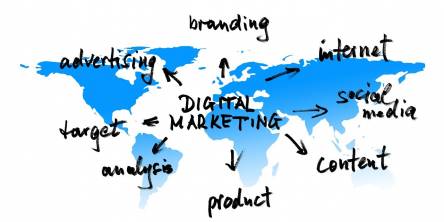
Selecting the right online digital marketing service can be a game-changer for your business. With many options available, finding a reliable partner who aligns with your goals is crucial. This choice can greatly impact your online presence and overall success.
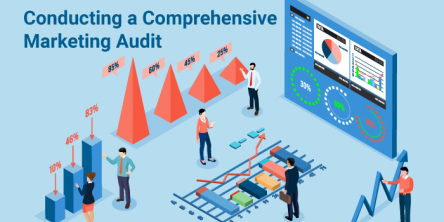
Conducting a comprehensive Marketing Audit is essential in assessing the effectiveness of your current marketing efforts and identifying areas for improvement. A Marketing Audit is a systematic examination of your marketing strategies, tactics, and processes to determine their effectiveness and identify areas for improvement.

As a specialized listing platform offered by the search engine, Google My Business (GMB) allows entrepreneurs to claim or create a company listing. The primary purpose of GMB profiles is to provide relevant information to consumers, help businesses show up in searches and on Google Maps, and enable customers to leave reviews.

From the moment of the introduction of the internet, it has created a revolution in every sector of the world. Various companies have focused on building up websites and making them a source for their outreach.

If you have access to accurate data about your clients, then it can help all your sales representatives to perform better. This is where the HubSpot Sales Hub comes into play as it can provide all the necessary tools to gather this data and use it to your advantage