

Why Buying the Cheapest Computer Often Costs More Later

Saving money feels good, especially when buying a new computer. With so many budget-friendly options available, it's tempting to choose the lowest-priced model and assume they'll all perform much the same. Unfortunately, that's rarely the case.
A computer is something most people rely on every day, whether for work, study, entertainment, or staying connected with family and friends. Choosing the right system is about far more than the purchase price. Before comparing options through retailers such as mwave.com.au, it's worth understanding why the cheapest computer isn't always the smartest investment.
Paying slightly more upfront can often save hundreds of dollars—and plenty of frustration—over the life of your computer.
Cheap Computers Often Use Entry-Level Components
Budget computers usually reduce costs by using less powerful hardware.
This may include:
- Older processors
- Smaller amounts of RAM
- Slower storage
- Basic displays
- Lower-quality construction
While these systems may handle light web browsing and email, they often struggle as software becomes more demanding.
Performance Declines Faster
Modern applications continue to evolve.
Operating systems receive regular updates, web browsers use more resources, and everyday software becomes increasingly demanding.
A computer that feels adequate today may begin slowing noticeably within a few years if it lacks sufficient processing power or memory.
Spending a little more on stronger specifications often extends the usable life of the computer.
Slow Computers Cost Time
Performance issues don't just create frustration—they also waste time.
Slow systems may take longer to:
- Start up
- Open programs
- Transfer files
- Install updates
- Switch between applications
Those extra seconds quickly add up if you use your computer every day.
Over several years, lost productivity can become far more expensive than the initial savings.
Upgrades May Be Limited
Many lower-priced computers offer limited upgrade options.
Some models make it difficult—or impossible—to upgrade components such as:
- Memory
- Storage
- Graphics
- Processors
A system that can't grow with your needs may need replacing much sooner than a more flexible computer.
Build Quality Matters
Cheaper computers sometimes use lower-quality materials to reduce manufacturing costs.
Over time, this may affect:
- Hinges
- Keyboards
- Cooling systems
- Ports
- Overall durability
A better-built computer often withstands years of everyday use with fewer problems.
Energy Efficiency Can Save Money
Higher-quality hardware is often more energy efficient.
Although electricity savings may seem small at first, they accumulate over years of regular use.
Efficient systems also tend to produce less heat, which can contribute to quieter operation and improved component longevity.
Consider the Total Cost of Ownership
The purchase price is only one part of the overall cost.
It's also worth considering:
- Longevity
- Productivity
- Reliability
- Repair costs
- Upgrade potential
A computer that lasts six or seven years often provides better value than replacing a cheaper model after only three years.
Buy for Your Needs, Not Just Your Budget
That doesn't mean everyone should buy the most expensive computer available.
Instead, choose a system that comfortably supports how you'll actually use it.
Ask yourself:
- Will you work from home?
- Do you edit photos or videos?
- Do you multitask regularly?
- Will your needs grow over time?
Matching the computer to your workload helps avoid paying for unnecessary features while ensuring you don't outgrow your system too quickly.
A Smart Purchase Pays Off for Years
Buying a computer is an investment in something you'll probably use every day. While choosing the cheapest option may reduce the initial cost, it often leads to slower performance, earlier replacement, limited upgrade options, and greater long-term expense.
Taking the time to choose a balanced system with reliable components and enough performance for future needs usually delivers far better value over the life of the computer. In many cases, spending a little more today results in years of smoother performance, fewer frustrations, and a lower overall cost of ownership—making it one of the smartest technology decisions you can make.
Similar Articles
Discover the best ink cartridge brands for quality, reliability, and value. Compare Epson, HP, Canon, and Brother cartridges to find the right option for your printing needs while balancing performance, print quality, and cost.

In today’s hyper-connected world, computers are no longer luxury items—they are essential tools for work, education, communication, and entertainment
PC overheating is a common issue that can lead to slowed performance, unexpected shutdowns, and even irreversible hardware damage.

Before selling or trading your iPad, it's essential to take steps that protect your personal information and ensure the device is ready for its new owner. Failing to properly secure and wipe your data can expose you to risks, from unauthorized access to your accounts to personal data theft
It can be quite a tricky situation when you are selecting a gaming PC monitor for yourself. Certain criteria must be fulfilled by the device so that you opt to purchase the piece. You are required to have a thorough knowledge of the features and facilities provided by the device.
Are you planning to build your computer or want to upgrade your unit? Well, the motherboard can sometimes the most confusing a trickiest component to select most especially if you are a beginner.
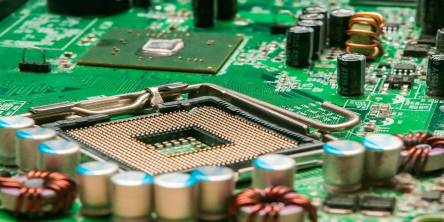
When you use your computer for a long time, it reaches a point where things are not the same anymore. It is no longer fun to use. It cannot function as fast as you want it to. It cannot even support some programs and functions as you wish.
Laptops are convenient and functional; you can tote them everywhere you go without a hassle and also use them for work, school assignments, and leisure.

The technology landscape is rapidly changing, and more people own smart devices than ever before. According to statistics, approximately 1.26 billion people use tablets across the globe.