

Sketch, Write, Create: Exploring Creative Uses of Digital Notepads
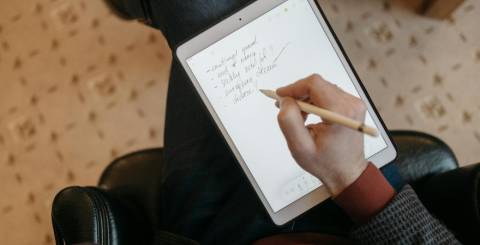
In a world where creativity meets technology, digital notepads have become the perfect tool for artists, writers, designers, students, and thinkers. They blend the tactile experience of traditional writing with the power of digital functionality. Whether you're sketching your next masterpiece, jotting down novel ideas, or organizing thoughts during a brainstorming session, a digital notepad offers unmatched flexibility and efficiency. One standout product that embodies all these possibilities is the XPPen Magic Note Pad—a beautifully designed device that’s making waves among creative minds.
The Digital Notepad Revolution
Digital notepads are more than just high-tech notebooks. They’re portable, smart devices that let users take handwritten notes, draw illustrations, annotate documents, and even convert handwriting into digital text. These tools cater to those who love the feel of pen and paper but also want the convenience of cloud syncing, editing, and sharing.
Unlike tablets, which are often bulkier and packed with features that might distract from the core creative process, digital notepads focus on simplicity, precision, and a paper-like writing experience. And for creators, that’s where the magic happens.
Read more: 6 Must-Have Accessories For Your Tablet
Why Creatives Love Digital Notepads
-
Natural Writing & Drawing Experience
Most digital notepads offer a smooth, responsive surface that mimics the feel of real paper. Paired with pressure-sensitive styluses, they let users write, sketch, and shade naturally.
-
Easy Organization & Syncing
Notes and sketches can be saved in organized folders, synced to the cloud, or exported to devices for editing. This keeps creative projects well-structured and accessible from anywhere.
-
Eco-Friendly Creativity
Say goodbye to stacks of used notebooks and wasted paper. Digital notepads provide a reusable, environmentally conscious alternative for creators who go through tons of sketchbooks or journals.
-
Versatility Across Projects
From writing poems to sketching product ideas, editing PDFs, or mind mapping, a digital notepad adapts to various workflows—ideal for multitasking creatives.
Meet the XPPen Magic Note Pad
Among the growing list of digital notepads, the XPPen Magic Note Pad stands out as a game-changer. Whether you’re an artist, student, writer, or simply someone who thinks best with a pen in hand, this device offers a seamless blend of analog feel and digital innovation.
Key Features of the XPPen Magic Note Pad:
-
Paper-Like Writing Surface
With its EMR (Electromagnetic Resonance) technology, the Magic Note Pad provides a writing experience that closely resembles traditional paper. There’s no lag, and the surface texture gives natural resistance for an authentic feel.
-
Smart Synchronization
Anything you write or draw on the Magic Note Pad can be instantly digitized and synced via Bluetooth to your device using the dedicated app. In addition, the customized note-taking APP XPPen Notes files can be synchronized to Google Drive and Onedrive.
-
Convert Handwriting to Text
Writers and students will love the handwriting recognition feature that turns messy notes into clean, editable digital text. It's perfect for journaling, meeting notes, or writing outlines on the go.
-
Pressure-Sensitive Pen
The included stylus features 16,384 levels of pressure sensitivity, which means artists can create light or bold strokes depending on how hard they press—ideal for sketching and detailed illustrations.
-
Long Battery Life
The device is designed to last for weeks on a single charge, allowing you to take it wherever inspiration strikes without worrying about running out of power.
-
Lightweight and Portable
Sleek, slim, and easy to carry, the Magic Note Pad is travel-friendly and fits easily into backpacks or laptop bags—making it perfect for creative minds on the move.
Real-World Creative Applications
1. Artists & Designers
Whether you’re doodling ideas, storyboarding a short film, or drafting character designs, the XPPen Magic Note Pad becomes an essential sketchbook with limitless pages. Its precision and responsiveness allow for nuanced drawing, and you can instantly refine or color your sketches in digital design software.
2. Writers & Journalists
Prefer the flow of handwriting over typing? Use the pad to draft poems, articles, or novel outlines. You can later export your handwriting to Word or Google Docs using the text conversion feature.
3. Students & Educators
Take notes during lectures, annotate PDFs, or create diagrams to enhance learning. Teachers can also use it to mark assignments or present digital whiteboard-style lessons.
4. Everyday Thinkers & Planners
From to-do lists and meal plans to mind maps and travel itineraries, the Magic Note Pad is perfect for organizing your life in a flexible, paperless way.
Final Thoughts
The XPPen Magic Note Pad isn’t just a tool—it’s a creative companion. It honors the traditional joy of putting pen to paper while opening the door to all the possibilities of the digital world. Whether you’re sketching your next big idea, writing your heart out, or planning your day, this device adapts to your needs and evolves with your imagination.
Similar Articles

Selecting the correct pipe type for a high-pressure system is one of the most consequential decisions an engineer or procurement manager will make on any industrial project.
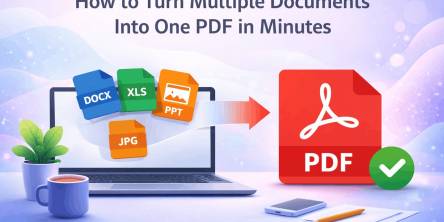
Managing multiple documents can quickly become frustrating. Imagine sending several files in an email, uploading different attachments to a submission portal, or sharing a business report with clients across multiple documents.

Energy efficiency is revolutionizing power distribution, leading to more sustainable and cost-effective energy systems.

Moving has a way of making even organized people feel scattered. One minute you’re labeling boxes. The next, you’re hunting for a receipt, calling the utility company, and wondering where the tape disappeared to.
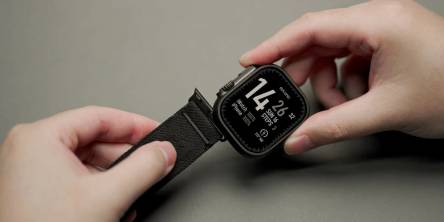
Apple devices break more than owners expect. This guide shows the cases, screen protectors, and Apple Watch bands that stop cracks, scratches, and costly repairs, plus how to change apple watch band in under a minute.

The aviation industry is rapidly modernizing, shifting from reactive, paper-heavy maintenance to highly automated, predictive ecosystems.

Learn what makes users trust a health app instantly and discover the design, security, and user experience factors that drive long term engagement.
Learn how Thunderbolt 4 docking stations support multiple displays, deliver fast data transfer, and create a streamlined, productive workspace.

Learn how ML development teams measure ROI from machine learning investments by tracking revenue growth, cost savings, productivity gains, risk reduction, and long-term business outcomes.