

How to Create a WordPress Theme With AI in Minutes

Creating a WordPress theme used to be a long and technical process.
You needed:
- coding knowledge
- WordPress experience
- design skills
- responsive layout expertise
- hours or even days of manual work
For many freelancers, agencies, and beginners, building a custom WordPress theme from scratch was one of the most time-consuming parts of launching a website.
But AI is changing that quickly.
Modern AI website builders can now generate layouts, sections, and even full WordPress themes within minutes. Instead of starting from a blank canvas, users can describe the website they want and let AI handle much of the heavy lifting.
In this guide, you will learn:
- how AI WordPress theme generators work
- how to create a WordPress theme with AI
- how AI workflows compare to traditional website building
- the advantages and limitations of AI-generated themes
- how modern AI tools are changing WordPress development
What Is an AI WordPress Theme Generator?
An AI WordPress theme generator is a tool that uses artificial intelligence to create WordPress themes automatically.
Instead of manually:
- designing layouts
- coding templates
- styling pages
- building responsive sections
the AI generates much of the structure for you.
Most modern AI website builders can generate:
- homepage layouts
- typography systems
- color palettes
- responsive sections
- multi-page designs
- website content structures
based on simple prompts or descriptions.
For example, a user could type:
“Create a modern SaaS website with a dark hero section, pricing table, testimonials, and minimalist typography.”
The AI then generates a website structure based on that request.
How WordPress Themes Were Traditionally Built
Before AI workflows became popular, creating WordPress themes required several manual steps.
A traditional workflow often included:
- designing mockups in tools like Figma
- coding templates with PHP and CSS
- building responsive layouts
- configuring plugins
- testing across devices
- optimizing performance
Even experienced developers could spend days refining layouts and rebuilding repetitive sections.
This is one reason AI-powered workflows are gaining so much attention.
Why AI WordPress Theme Generation Is Growing So Fast
AI-generated websites are becoming more popular because they dramatically reduce the time needed to create modern layouts.
Instead of building every section manually, users can:
- generate ideas faster
- prototype layouts quickly
- iterate designs more efficiently
- reduce repetitive work
This is especially useful for:
- freelancers
- agencies
- startups
- marketers
- beginners learning WordPress
Many developers now use AI as a starting point rather than building every website completely from scratch.
Step-by-Step: How to Create a WordPress Theme With AI
Step 1: Describe the Website You Want
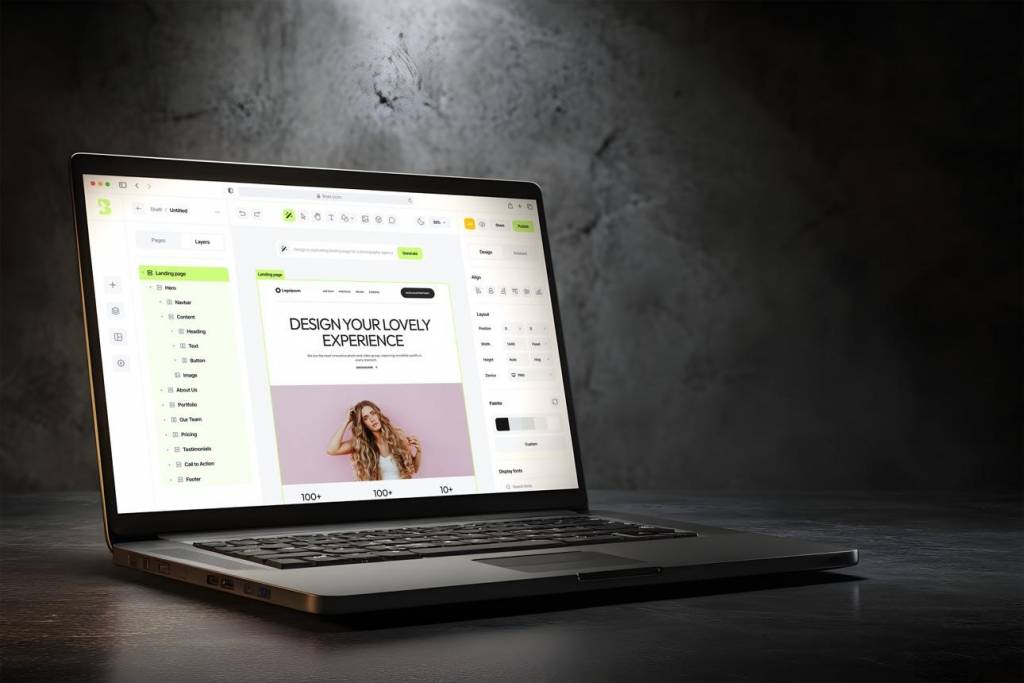
Most AI WordPress builders start with a prompt-based workflow.
You simply describe:
- your website niche
- preferred design style
- page structure
- sections you want
- colors and typography
- functionality requirements
For example:
“Create a clean portfolio website with a modern hero section, project gallery, testimonials, and contact page.”
The AI then uses this information to generate the initial website structure.
The more detailed the prompt, the better the output usually becomes.
Step 2: Generate the Theme
Once the prompt is submitted, the AI generates:
- layouts
- sections
- typography
- color systems
- responsive structures
within minutes.
This dramatically speeds up the early stages of website creation.
Instead of manually building layouts from scratch, users can begin with an AI-generated foundation and refine it afterward.
Step 3: Customize and Refine the Design
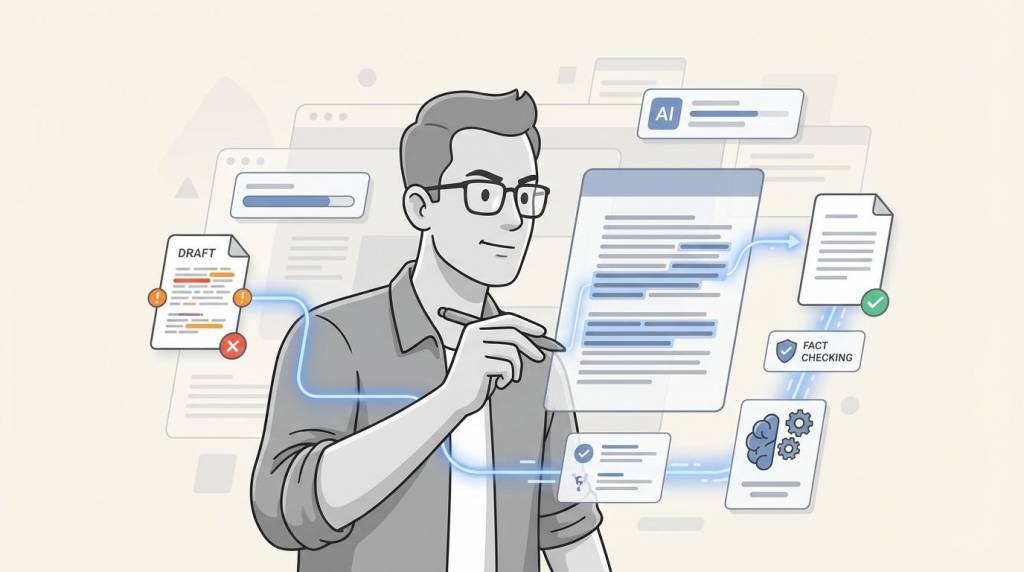
One important thing to understand is that AI-generated websites are rarely perfect immediately.
Most users still need to:
- adjust layouts
- refine spacing
- update typography
- improve responsiveness
- customize branding
This is where modern AI workflows are improving rapidly.
Some newer AI WordPress builders now allow users to continue refining designs conversationally instead of relying entirely on manual editing.
That creates a much faster workflow compared to traditional website building.
Step 4: Convert Existing Websites Into WordPress Themes
One of the most interesting developments in AI WordPress generation is website-to-WordPress conversion.
Some modern tools can now:
- analyze live websites
- recreate layouts
- generate WordPress-compatible themes
This can be useful for:
migrating away from website builders
recreating inspiration sites
redesigning existing projects
converting modern UI layouts into WordPress
A few newer platforms, including PressmeGPT, are beginning to support this type of workflow more effectively.
This is especially valuable for agencies and freelancers working with clients who want to move away from locked ecosystems.
Step 5: Export the Theme
Once the design is finalized, the theme can usually be exported and installed into WordPress.
Different AI website builders support different workflows.
Some export:
- static templates
- builder-specific layouts
- or proprietary formats
Others now support multiple WordPress ecosystems, including:
- Classic WordPress
- Gutenberg
- Elementor
This flexibility is becoming increasingly important because many users do not want to be locked into one builder ecosystem forever.
Step 6: Launch and Optimize the Website
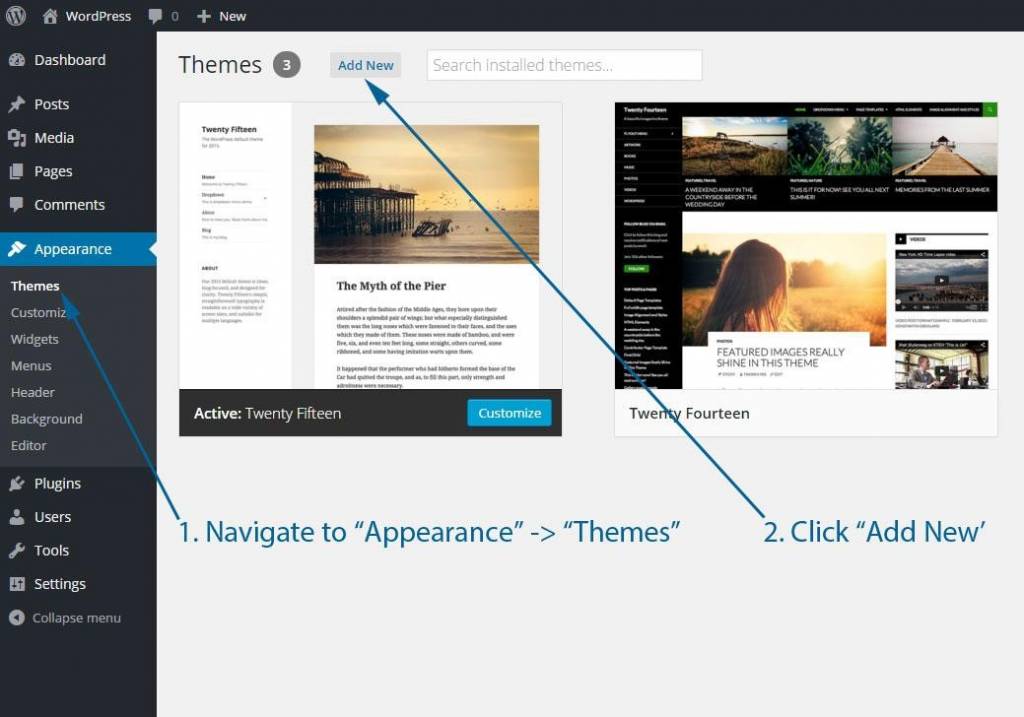
After exporting the theme, the final steps usually include:
- uploading the theme
- customizing content
- configuring plugins
- optimizing SEO
- improving performance
- publishing the site
Even with AI assistance, optimization and polishing still matter.
AI can accelerate workflows significantly, but good design and user experience still require thoughtful refinement.
Advantages of Creating WordPress Themes With AI
AI-generated WordPress themes offer several major advantages.
Faster Development
AI can reduce hours of manual layout work into minutes.
Easier Experimentation
Users can quickly test:
- different layouts
- design styles
- section structures
- branding ideas
without rebuilding entire pages manually.
Lower Costs
Agencies and freelancers can complete projects faster, reducing development costs.
Beginner Friendly
Users without advanced coding skills can now create professional-looking WordPress websites more easily.
Common Problems With AI Website Builders
Despite the progress, AI website generation still has limitations.
Generic Designs
Some AI-generated websites still look repetitive or template-heavy.
Plugin Bloat
Certain builders rely heavily on:
- visual editors
- plugin ecosystems
- large dependencies
which can hurt performance.
Ecosystem Lock-In
Some AI builders only work properly inside their own ecosystem, limiting flexibility later.
Limited Editing
Older AI workflows often stop after generation instead of supporting deeper refinement and iteration.
Why Modern AI Workflows Feel Different
The newest generation of AI website builders is shifting toward more interactive workflows.
Instead of simply generating templates once, modern tools increasingly focus on:
- conversational refinement
- faster iteration
- editable AI-generated designs
- workflow flexibility
This makes AI-assisted web development feel much closer to modern design systems rather than traditional drag-and-drop builders.
The technology is still evolving quickly, but it is already changing how many websites are built.
Final Thoughts
Creating a WordPress theme used to require:
- coding experience
- complex workflows
- manual design systems
- days of development time
AI tools are making that process dramatically faster.
Instead of starting from scratch, users can now generate layouts, refine designs, and launch websites within a fraction of the time traditional workflows required.
While AI-generated websites still need human refinement, the overall workflow is becoming far more efficient than traditional website building.
As AI website generation continues improving, it will likely become a standard part of modern WordPress development rather than just an experimental feature.
FAQs
Can AI create a WordPress theme?
Yes. Modern AI website builders can generate WordPress-compatible layouts, sections, and responsive website structures automatically.
Are AI-generated WordPress themes editable?
Most modern AI-generated themes can be customized and refined after generation, depending on the platform being used.
Can AI convert websites into WordPress themes?
Some newer AI tools can recreate existing websites as WordPress themes by analyzing layouts and generating compatible structures.
Are AI-generated WordPress themes SEO friendly?
They can be, but performance and optimization still depend on factors like clean code, lightweight assets, and proper SEO setup.
Do AI WordPress builders replace developers?
Not completely. AI dramatically speeds up workflows, but developers and designers are still important for refinement, branding, optimization, and advanced customization.
Similar Articles

The gaming industry has evolved far beyond simple console and PC experiences. Today, players expect to switch between smartphones, tablets, laptops, and gaming consoles without losing their progress or digital assets.

Business leaders and IT managers understand that modern digital platforms must be highly secure, lightning-fast, and strategically designed to convert visitors into loyal customers.

Web Development 2.0 is upon us. Businesses want efficiency and faster turnaround time on projects. This is all so they can stay competitive in today's digital economy.

Website security is no longer optional. Whether you are launching a personal blog, an e-commerce platform, or a corporate website, protecting user data has become one of the most important responsibilities for website owners.

WordPress is powering most websites on the web. So, it’s very obvious you need to stay one step ahead to stand out in the competition.

Choose the right eCommerce development service in 2026—review expertise, tech stack, pricing, security, and scalability to build a high-performing store.

The ride-hailing industry is still growing fast. Whether you are a startup looking to launch your first taxi app or a business owner who wants to expand into on-demand transport, building an Uber-like app is one of the most practical moves you can make right now.

Shopify Plus is Shopify's enterprise eCommerce platform designed for high-volume merchants processing millions of dollars in annual revenue.

A lot of WordPress homepages have the same problem, even when they look polished. They feel like a collection of sections that someone “should” have, not a page that actively helps a visitor decide.